
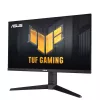
The 27-inch TUF Gaming VG27AQL3A QHD gaming monitor featuring a IPS panel for blistering-fast 180 Hz gaming. ASUS Extreme Low Motion Blur Sync (ELMB Sync) and AMD FreeSync™ Premium, G-SYNC compatible, VESA AdaptiveSync technologies enables buttery-smooth gaming. In addition, it supports HDR and has a 130% sRGB gamut to offer exceptional colors and contrast.
Gaming key spec 180HZ REFRESH RATE AND 1MS (gtg) RESPONSE TIME With 180Hz refresh rate decimates lag and motion blur to give you the upper hand in first person shooters, racers, real-time strategy, and sports titles. This ultrafast refresh rate lets you play at the highest visual settings and lets you react instantly to what's onscreen — so you'll get that first strike in.
Gaming key spec ADAPTIVE-SYNC AMD FreeSync Premium, NVIDIA G-Sync compatible and VESA AdaptiveSync technology ensure supersmooth, tear-free visuals with low latency.
Color performance High Dynamic Range TUF Gaming VG27AQL3A takes advantage of HDR technology to deliver more vivid colors and higher contrast levels compared to traditional monitors.
Exclusive gaming feature ELMB Sync ELMB Sync* software that enables ELMB to work simultaneously with adaptive-sync technology to eliminate ghosting and tearing for extraordinarily sharp, high-frame-rate gaming. *Ideal for Fast-paced games , works better over 85Hz.
Exclusive gaming feature Variable Overdrive Integrated ASUS Variable Overdrive technology allows the display to dynamically alter its overdrive setting as frame rates fluctuate, ensuring optimal results for any game. You choose how strong you want the overall effect to be, then let the monitor take it from there.
In-game enhancements
Intuitive Controls DisplayWidget Center software upgraded the user interface so that users can easily change monitor settings via a mouse ― so there’s no need to access the OSD menu.
Shadow Boost ASUS Shadow Boost technology clarifies dark areas of the game without overexposing brighter areas, improving overall viewing while also making it easier to spot enemies hidden in dark areas of the map.
GamePlus The ASUS-exclusive, integrated GamePlus hotkey offers in-game enhancements that help you get more out of your game. This function is co-developed with input from pro gamers, allowing them to practice and improve their gaming skills.
GameVisual ASUS GameVisual Technology has seven pre-set display modes to optimize visuals for different types of content. This unique feature can be easily accessed through a hotkey or the on-screen display settings menu.
Flicker-Free technology Flicker-Free technology reduces flicker to minimize eyestrain for improved comfort when you're embroiled in long gaming sessions.
LOW BLUE LIGHT ASUS Low Blue Light technology reduces the amount of potentially harmful blue light emitted by the display. Four different filter settings are available to control the amount of blue light reduction.
ENGINEERING
Extensive Connectivity A multitude of connectivity options, including two HDMI 2.0, plus DisplayPort™ 1.4, ensures wide compatibility with a variety of input sources.
ERGONOMIC DESIGN With an ergonomically-designed stand, it provides tilt, swivel, pivot, and height adjustments so you can easily find your ideal viewing position. The display is also VESA-compatible for wall mounting.
How to use
Connect the monitor to your PC or console using DisplayPort 1.4 for the highest refresh and feature support or HDMI 2.0 where appropriate. Enable adaptive‑sync (FreeSync/G‑SYNC) in your graphics driver and the monitor OSD to reduce tearing. For high‑frame‑rate gameplay above 85 Hz, enable ELMB Sync to combine motion blur reduction with adaptive sync. Adjust brightness, color modes and GameVisual presets through the on‑screen display or via DisplayWidget Center software for mouse‑based control. Use the ergonomic adjustments to position the monitor for comfortable viewing and mount it using a VESA bracket if wall installation is preferred.
Recommendations
For competitive, fast‑paced games set the refresh rate to 180 Hz, enable adaptive‑sync and ELMB Sync (best above 85 Hz) and use a DisplayPort 1.4 connection to ensure the smoothest performance. Reduce blue light and enable Flicker‑Free for long gaming sessions to minimize eye fatigue.
Vendedor: UAB KUR LT · Laisvės pr. 125A, LT-06118 Vílnius, Lituânia · Código da empresa 303192950 · NIF/IVA UE LT100008198612 · Envio a partir da UE (Lituânia)
Preferências de privacidade
Utilizamos cookies para melhorar a sua experiência de compra.
Olá, sou o assistente de IA da DistriNode. Posso ajudá-lo a encontrar produtos, comparar opções, criar orçamentos em PDF ou abrir pedidos de suporte.
Chat DistriNodeProdutos, preços, orçamentos e apoio
O histórico da conversa é mantido durante 72 horas.
Olá, sou o assistente da DistriNode. Em que posso ajudar?