
Conta Contactos
O seu carrinho
Envio por DPD e FedEx
Precisa de ajuda? Pergunte à IA

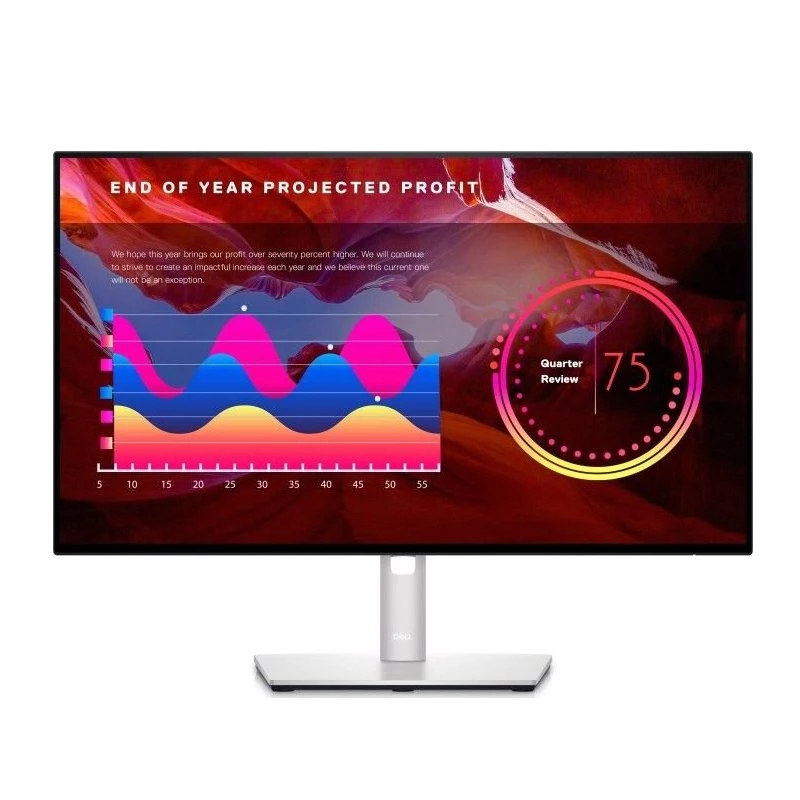
Monitor DELL U2422H (210-AYUI) 23,8 polegadas Full HD IPS - ecrã de 60,5 cm, USB-C 90W, altura ajustável, preto

Monitor DELL U2422H (210-AYUI) 23,8 polegadas Full HD IPS - ecrã de 60,5 cm, USB-C 90W, altura ajustável, preto
319,37 €
Professionals often struggle with eye strain and cluttered desks from multiple cables and adapters. The DELL U2422H solves this by combining a flicker-free IPS panel with a single-cable USB-C connection that delivers video, data, and up to 90W of power to your laptop. Its 23.8-inch Full HD screen pr... Ler mais
Stock EsgotadoSem stock Código 3486843 Marca DELL Modelo U2422H (210-AYUI) Garantia 2 anos

Envios e devoluções

Professionals often struggle with eye strain and cluttered desks from multiple cables and adapters. The DELL U2422H solves this by combining a flicker-free IPS panel with a single-cable USB-C connection that delivers video, data, and up to 90W of power to your laptop. Its 23.8-inch Full HD screen provides sharp, consistent colours from any viewing angle, while the integrated USB hub and RJ45 port turn the monitor into a productivity hub. Whether you're editing documents, analysing spreadsheets, or attending video calls, this display keeps your workspace tidy and your focus uninterrupted.

Who is it for

The U2422H is ideal for office professionals, hybrid workers, and anyone who wants a reliable, ergonomic monitor without sacrificing desk space. It suits users who connect a modern laptop via USB-C and need extra USB ports for peripherals. Creative users will appreciate the 100% sRGB coverage for accurate colour representation in web and print projects. IT departments will value the monitor's ENERGY STAR and EPEAT Gold certifications, as well as its durable, height-adjustable stand.

Main features

  • 23.8-inch IPS panel with Full HD 1920 x 1080 resolution and 16:9 aspect ratio
  • USB-C connectivity with up to 90W Power Delivery for single-cable laptop charging
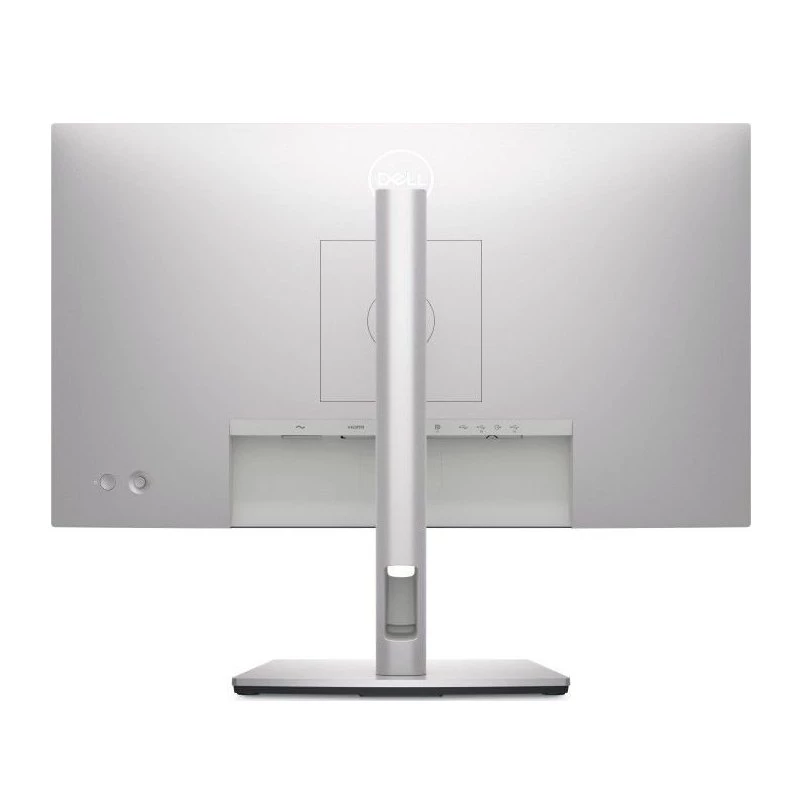
  • Built-in USB 3.2 Gen 1 hub with five downstream ports and RJ45 Ethernet
  • Ergonomic stand with height, tilt, swivel, and pivot adjustments
  • Dell ComfortView Plus hardware-based low blue light solution
  • VESA 100 x 100 mm mounting support for flexible installation
  • Anti-glare screen with 3H hardness coating

Specifications

  • Display diagonal: 60.5 cm (23.8")
  • Panel type: IPS
  • Native resolution: 1920 x 1080 (Full HD)
  • Refresh rate: 60 Hz
  • Response time: 5 ms (fast), 8 ms (normal)
  • Brightness: 250 cd/m²
  • Contrast ratio: 1000:1 typical
  • Colour gamut: 100% sRGB, 100% Rec. 709, 85% DCI-P3
  • Ports: DisplayPort 1.4, HDMI 1.4, USB-C (90W PD), DP Out, 5x USB 3.2 Gen 1, RJ45, Audio line-out
  • Power consumption: 12.6 W typical
  • Certifications: ENERGY STAR, EPEAT Gold, TCO Certified Edge Displays

Tips

To get the most from your U2422H, connect your laptop via the included USB-C cable and enable DisplayPort Alt Mode. Use the on-screen display to switch to the sRGB preset for colour-critical work. If you need a multi-monitor setup, daisy-chain a second display using the DP Out port. For cable-free desks, mount the monitor on a VESA arm and route the USB-C cable through the arm's channel.

Destaques principais
  • 60.47cm (23.8") Full HD 1920 x 1080 W-LED IPS
  • 8ms, 16:9, 250cd/m², 1000:1
  • USB, HDMI, DisplayPort
  • 60.5 cm (23.8") Silver
  • Height adjustment 15 cm
  • USB upstream port type: USB Type-C HDMI HDMI version: 1.4 DisplayPorts quantity: 2 DisplayPort version: 1.4
  • Screen shape: Flat
  • Maximum refresh rate: 60 Hz Response time: 8 ms
  • 1920 x 1080 pixels Full HD Panel type: IPS
  • Energy efficiency class (SDR): C
Especificações
Ajuste de altura
Yes
Ano de lançamento
2021
Categoria
Monitor
Consumo de energia (desligado)
0.2 W
Consumo de energia (em espera)
0.2 W
Consumo de energia (máx.)
120 W
Consumo de energia (PowerSave)
12.6 W
Cor do produto
Black
Diagonal do ecrã
60.5 cm (23.8")
EAN
884116390718
Ethernet LAN
Yes
Formato do ecrã
Flat
Interface de montagem do painel
100 x 100 mm
Marca
DELL
Modelo
U2422H
Montagem VESA
Yes
MPN
210-AYUI
Número de portas DisplayPort
1
Número de portas HDMI
1
Período de garantia
3 years
Peso
5.57 kg
Posicionamento no mercado
Business
Proporção de aspeto nativa
16:9
Rácio de contraste (típico)
1000:1
Resolução do ecrã
1920 x 1080
Rotação (pivot)
Yes
Rotação (pivot)
Yes
Taxa de atualização máxima
60 Hz
Tecnologia do ecrã
IPS
Tempo de resposta
8 ms
Tipo de HD
Full HD
Tipo de painel
IPS
Versão DisplayPort
1.4
Versão HDMI
1.4

Documento

Abrir documento

Documento

Abrir documento

Documento

Abrir documento

Documento

Abrir documento

Documento

Abrir documento

Documento

Abrir documento

Folheto

Abrir documento
Histórico de preços nos últimos 6 meses
Monitor DELL U2422H (210-AYUI) 23,8 polegadas Full HD IPS - ecrã de 60,5 cm, USB-C 90W, altura ajustável, preto
Atual
319,37 €
Mais baixo
317,13 €
Mais alto
321,20 €
Variação 24 h
+2,24 €   +1%
Semana
+0,83 €   +0%
Mês
—   

Avaliações independentes da imprensa tecnológica

monitornerds.com

Veredicto: The Dell U2422H is a great pick if you want a high-quality display for remote work or for your home office. It is one of the few 1080p monitors that can offer wide gamut coverage along with the latest connectivity standards. It's also well-built and attra...

Pontos positivos
  • Great Gamut Coverage and Default Accuracy
  • Plenty of Connectivity Features
  • Crisp and Clear IPS
  • Attractive Design
Pontos negativos
  • Expensive
  • Limited Contrast
  • No DP Alt Mode Support
Leia a avaliação completa em monitornerds.com →

Produtos populares nesta categoria

Olá, sou o assistente de IA da DistriNode. Posso ajudá-lo a encontrar produtos, comparar opções, criar orçamentos em PDF ou abrir pedidos de suporte.