
Conta Contactos
O seu carrinho
Envio por DPD e FedEx
Precisa de ajuda? Pergunte à IA

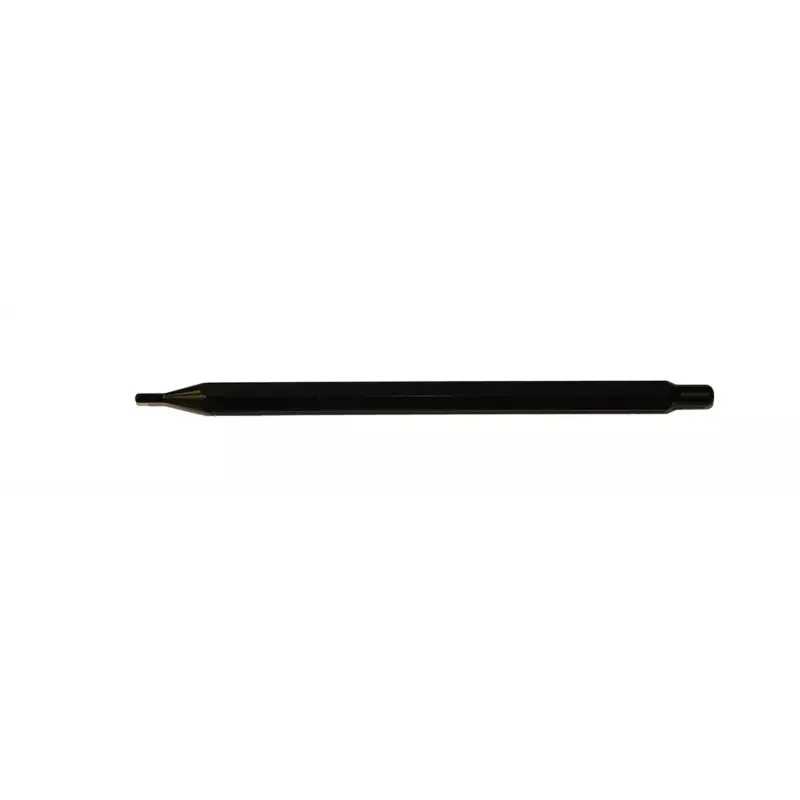
Caneta stylus para ecrã Avocor Stylus Par G & W Series PEN-GWP

Caneta stylus para ecrã Avocor Stylus Par G & W Series PEN-GWP
62,67 €
The Avocor Stylus Pair G & W Series PEN-GWP is a pair of passive styluses designed for precise input on compatible Avocor interactive displays. Lightweight and balanced, these styluses provide accurate point control for handwriting, drawing and annotation during presentations and collaborative sessi... Ler mais
Stock 9 Código 2577447 Marca AVOCOR Modelo PEN-GWP Garantia 2 anos

Envios e devoluções

Entrega prevista Terça-feira, Outubro 20
Receberá atualizações através do nosso sistema de seguimento detalhado
Opções de pagamento
Cartão bancárioVisaMastercardPayPalApple PayGoogle PayTransferência bancária

The Avocor Stylus Pair G & W Series PEN-GWP is a pair of passive styluses designed for precise input on compatible Avocor interactive displays. Lightweight and balanced, these styluses provide accurate point control for handwriting, drawing and annotation during presentations and collaborative sessions. The low-friction tip supports smooth strokes, enabling clear, legible marks and fine detail work without requiring batteries or pairing.

Advantages

These styluses deliver consistent responsiveness and precise tracking on touch-enabled surfaces, reducing parallax and improving the natural feel of pen-on-screen writing. Their ergonomic barrel and light weight make extended use comfortable, while the durable tips maintain performance over repeated use. Being passive, they require no charging, simplifying classroom and meeting-room workflows.

Suitable for

  • Interactive classroom teaching and student annotation
  • Business presentations and collaborative whiteboarding
  • Design sketching and quick markups during meetings
  • Remote and hybrid sessions where clear visual annotation is needed

Key specifications

  • Compatibility: designed for use with Avocor interactive touch displays in G and W series
  • Type: passive (no battery required)
  • Tip: low-friction fine tip for precise input
  • Quantity: sold as a pair for simultaneous multi-user or backup use
  • Weight: lightweight construction for comfortable extended use
  • Body: ergonomic barrel for stable grip and control

How to use

Hold the stylus as you would a regular pen and use gentle, controlled strokes to write or draw directly on the compatible interactive display surface. For best responsiveness, keep the tip clean and avoid applying excessive sideways force. When not in use, store the stylus pair in a secure holder or docking area near the display to prevent loss and to keep tips protected. No pairing or charging steps are required before use.

Recommendations

For optimal performance, use the styluses on Avocor displays recommended for G & W series accessories, clean the display surface regularly with a manufacturer-approved cleaner, and replace tips if wear affects precision.

Destaques principais
  • Interactive classroom teaching and student annotation
  • Business presentations and collaborative whiteboarding
  • Design sketching and quick markups during meetings
  • Remote and hybrid sessions where clear visual annotation is needed
  • Compatibility: designed for use with Avocor interactive touch displays in G and W series
  • Type: passive (no battery required)
  • Tip: low-friction fine tip for precise input
  • Quantity: sold as a pair for simultaneous multi-user or backup use
  • Weight: lightweight construction for comfortable extended use
  • Body: ergonomic barrel for stable grip and control
Histórico de preços nos últimos 6 meses
Caneta stylus para ecrã Avocor Stylus Par G & W Series PEN-GWP
Atual
62,67 €
Mais baixo
61,70 €
Mais alto
81,19 €
Variação 24 h
+0,64 €   +1%
Semana
+0,51 €   +1%
Mês
+0,79 €   +1%

Produtos populares nesta categoria

Olá, sou o assistente de IA da DistriNode. Posso ajudá-lo a encontrar produtos, comparar opções, criar orçamentos em PDF ou abrir pedidos de suporte.