
Conta Contactos
O seu carrinho
Envio por DPD e FedEx
Precisa de ajuda? Pergunte à IA

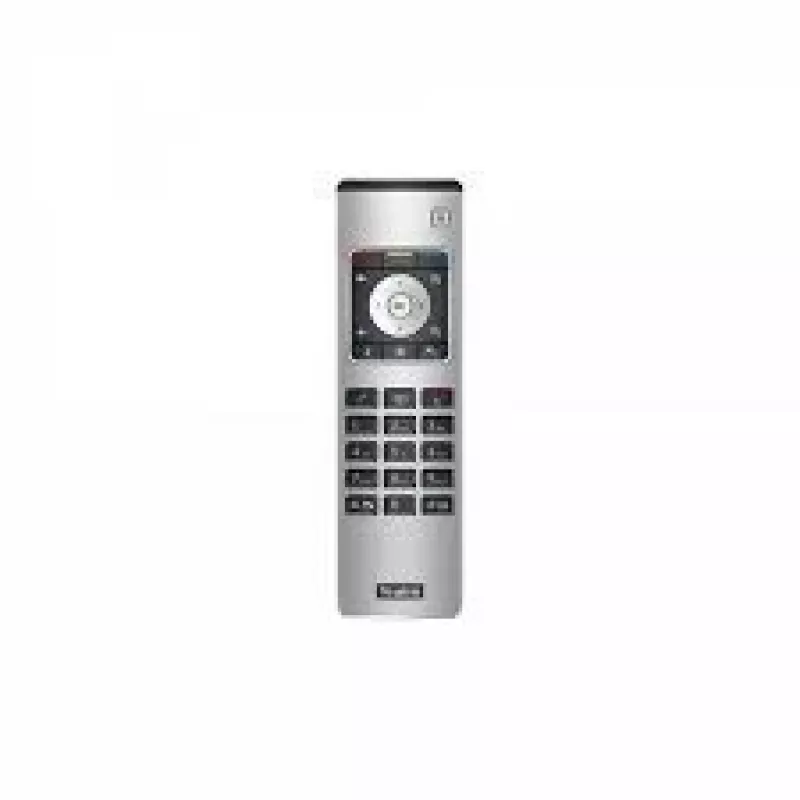
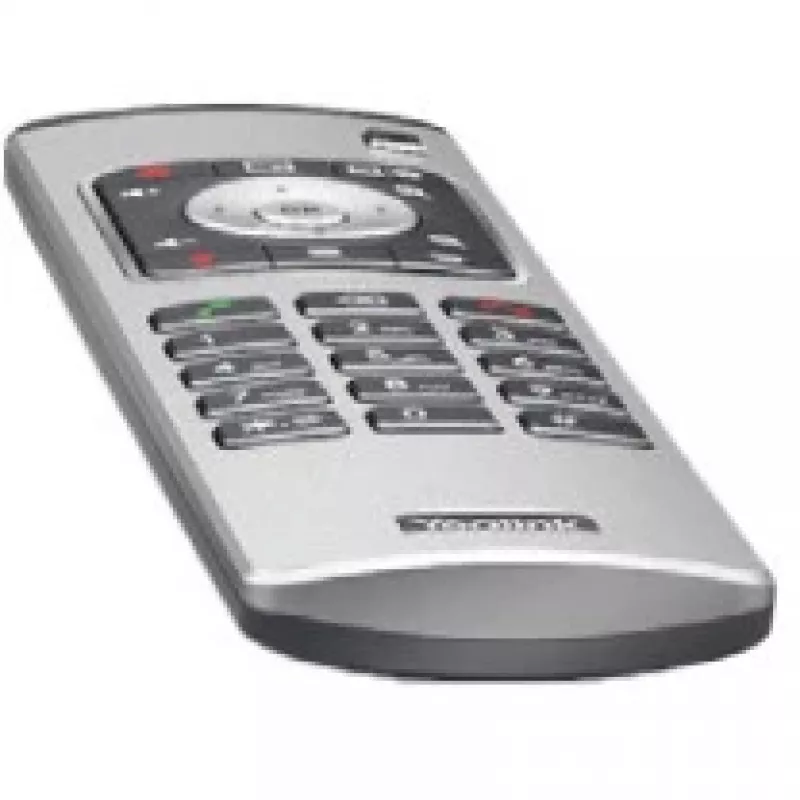
Comando Yealink VCR11 VCR botões

Comando Yealink VCR11 VCR botões
121,24 €
The Yealink VCR11 remote control (205-000-013) is designed for straightforward management of Yealink video conferencing systems, including models VC800 and VC500. The compact remote provides tactile press-button input for navigating calls, adjusting basic settings and controlling on-screen menus. Th... Ler mais
Stock 22 Código 2187783 Marca Yealink Modelo 1303081 Garantia 2 anos

Envios e devoluções

Entrega prevista Quinta-feira, Outubro 22
Receberá atualizações através do nosso sistema de seguimento detalhado
Opções de pagamento
Cartão bancárioVisaMastercardPayPalApple PayGoogle PayTransferência bancária

The Yealink VCR11 remote control (205-000-013) is designed for straightforward management of Yealink video conferencing systems, including models VC800 and VC500. The compact remote provides tactile press-button input for navigating calls, adjusting basic settings and controlling on-screen menus. The product listing includes a one-year AMS (Advanced Maintenance Service) for support and maintenance.

Advantages

The VCR11 offers a compact, ergonomic shape and clear, responsive buttons that simplify operation during meetings. It is compatible with Yealink VC800 and VC500 systems and comes with one year of AMS support. The device’s build and button layout are intended to reduce learning time and enable reliable remote control of core conference functions.

Suitable for

  • Controlling Yealink VC800 video conferencing systems
  • Controlling Yealink VC500 video conferencing systems
  • Meeting rooms and huddle spaces requiring simple remote operation

Key specifications

  • Manufacturer: Yealink
  • Model / MPN: VCR11 / 205-000-013
  • EAN: 6938818303102
  • Compatible brands/models: Yealink (VC800, VC500)
  • Input type: Press buttons
  • Colour: Black, Silver
  • Included service: 1-year AMS

How to use

Point the remote at the Yealink system’s receiver and press the appropriate buttons to navigate menus, answer or end calls, and adjust basic settings such as volume. Replace batteries as required (batteries not supplied) and follow on-screen prompts from the VC800/VC500 system for pairing or additional configuration. Refer to the Yealink system user guide for detailed setup steps.

Recommendations

Store the remote in a dry place and avoid dropping it. Use within the line of sight of the system receiver for reliable operation; replace batteries promptly when button response weakens. For advanced troubleshooting or AMS-covered issues, contact Yealink support under the included one-year AMS.
Destaques principais
  • Controlling Yealink VC800 video conferencing systems
  • Controlling Yealink VC500 video conferencing systems
  • Meeting rooms and huddle spaces requiring simple remote operation
  • Manufacturer: Yealink
  • Model / MPN: VCR11 / 205-000-013
  • EAN: 6938818303102
  • Compatible brands/models: Yealink (VC800, VC500)
  • Input type: Press buttons
  • Colour: Black, Silver
  • Included service: 1-year AMS
Especificações
Altura da embalagem
33 mm
Compatibilidade com marcas
Yealink
Cor do produto
Black, Silver
Largura da embalagem
246 mm
Manual
Yes
Número de pilhas suportadas
2
País de origem
China
Peso
157 g
Peso da embalagem
194 g
Produtos compatíveis
MeetingEye 500
Profundidade da embalagem
80 mm
Quantidade por embalagem
1 pc(s)
Tecnologia da bateria
Alkaline
Tensão da bateria
1.5 V
Tipo de bateria
AAA
Tipo de entrada
Press buttons
Utilização adequada do telecomando
VCR
Visor integrado
No

Folheto

Abrir documento
Histórico de preços nos últimos 6 meses
Comando Yealink VCR11 VCR botões
Atual
121,24 €
Mais baixo
100,50 €
Mais alto
144,73 €
Variação 24 h
-0,17 €   0%
Semana
+6,28 €   +5%
Mês
+20,74 €   +21%

Produtos populares nesta categoria

Olá, sou o assistente de IA da DistriNode. Posso ajudá-lo a encontrar produtos, comparar opções, criar orçamentos em PDF ou abrir pedidos de suporte.