




Conta Contactos
O seu carrinho
Envio por DPD e FedEx
Precisa de ajuda? Pergunte à IA

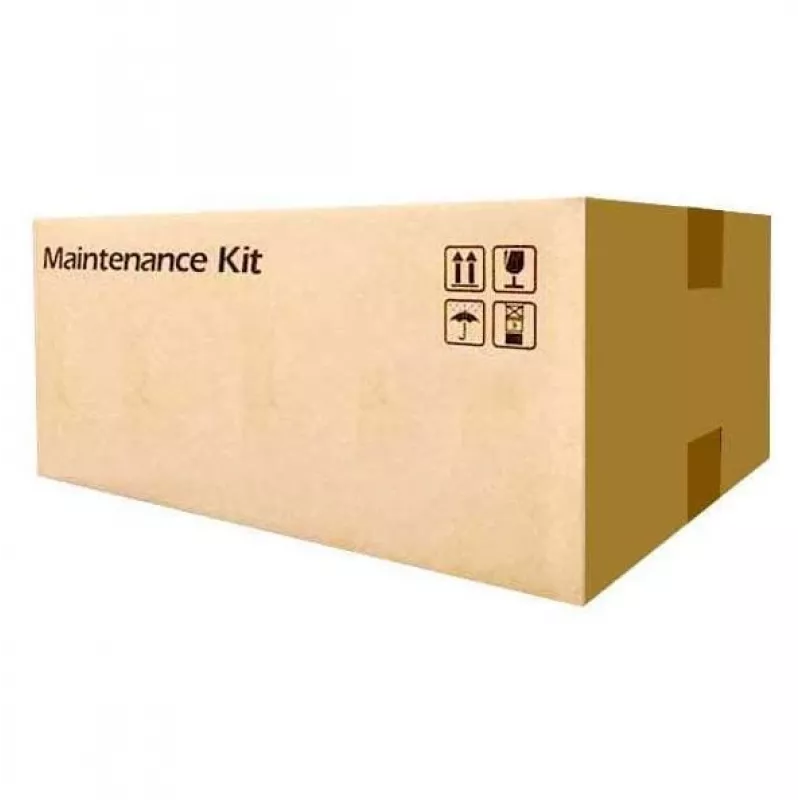
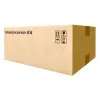
Kit de manutenção KYOCERA MK-8525A

Kit de manutenção KYOCERA MK-8525A
1 428,85 €
The KYOCERA MK-8525A Maintenance Kit is designed to maintain reliable performance and consistent black printing for compatible Kyocera laser printers. It contains essential parts that help preserve image quality, reduce downtime and extend the service life of the device while meeting environmental s... Ler mais
Stock 1 Código 878378 Marca KYOCERA Modelo 1702V80KL0 Garantia 2 anos

Envios e devoluções

Entrega prevista Segunda-feira, Outubro 19
Receberá atualizações através do nosso sistema de seguimento detalhado
Opções de pagamento
Cartão bancárioVisaMastercardPayPalApple PayGoogle PayTransferência bancária

The KYOCERA MK-8525A Maintenance Kit is designed to maintain reliable performance and consistent black printing for compatible Kyocera laser printers. It contains essential parts that help preserve image quality, reduce downtime and extend the service life of the device while meeting environmental standards and minimising unnecessary waste.

Advantages

Advanced toner and colour technology ensures excellent image quality while components in the kit improve overall printer reliability, increasing productivity. The kit supports maximum printer life and is covered by Kyocera guarantee protection. Environmental standard compliance reduces excess waste and aligns with sustainable office practices.

Suitable for

  • Routine maintenance of Kyocera laser printers compatible with MK-8525A
  • Offices seeking to minimise downtime and maintain consistent black prints
  • Service centres performing scheduled preventive maintenance

Key specifications

  • Brand: Kyocera
  • Model: MK-8525A
  • MPN: 1702V80KL0
  • EAN: 0632983059180
  • Category: Printer & Copier parts

How to use

Follow the printer manufacturer’s instructions for replacing maintenance components. Turn off the printer and allow it to cool before removing covers. Install each component from the kit in the order specified in the service manual or quick-install guide, secure all covers and run a test print to verify proper operation. If unsure, refer to an authorised service technician.

Recommendations

Replace the MK-8525A maintenance kit according to your printer’s service interval or when print quality declines; use genuine Kyocera parts to preserve warranty coverage and ensure optimal performance.
Destaques principais
  • Routine maintenance of Kyocera laser printers compatible with MK-8525A
  • Offices seeking to minimise downtime and maintain consistent black prints
  • Service centres performing scheduled preventive maintenance
  • Brand: Kyocera
  • Model: MK-8525A
  • MPN: 1702V80KL0
  • EAN: 0632983059180
  • Category: Printer & Copier parts
Especificações
Código do Sistema Harmonizado (HS)
84439990
Compatibilidade
TASKalfa 4053ci/5053ci/6053ci
Compatibilidade com marcas
Kyocera
Cor do produto
Black
Cores de impressão
Black
Humidade relativa de armazenamento (H-H)
10 - 80%
Humidade relativa de funcionamento (H-H)
20 - 80%
Quantidade por embalagem
1 pc(s)
Rendimento de páginas
600000 pages
Tecnologia de impressão
Laser
Temperatura de armazenamento (T-T)
-20 - 40 °C
Temperatura de funcionamento (T-T)
10 - 30 °C
Tipo de produto
Maintenance kit

Folheto

Abrir documento
Histórico de preços nos últimos 6 meses
Kit de manutenção KYOCERA MK-8525A
Atual
1 428,85 €
Mais baixo
1 163,49 €
Mais alto
1 936,82 €
Variação 24 h
+5,44 €   +0%
Semana
+3,19 €   +0%
Mês
+5,23 €   +0%

Produtos populares nesta categoria

Olá, sou o assistente de IA da DistriNode. Posso ajudá-lo a encontrar produtos, comparar opções, criar orçamentos em PDF ou abrir pedidos de suporte.