
Conta Contactos
O seu carrinho
Envio por DPD e FedEx
Precisa de ajuda? Pergunte à IA

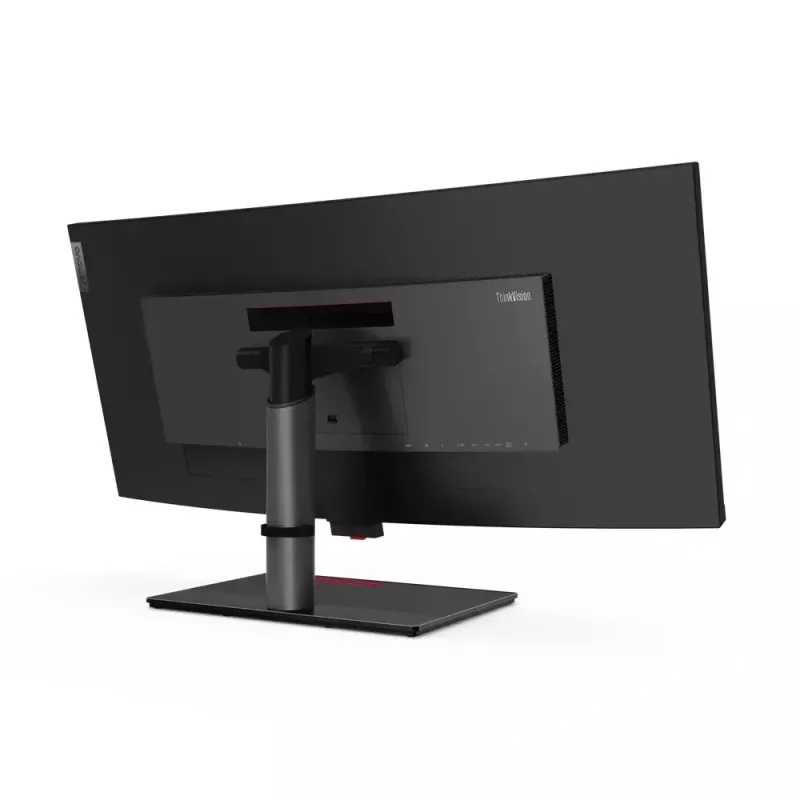
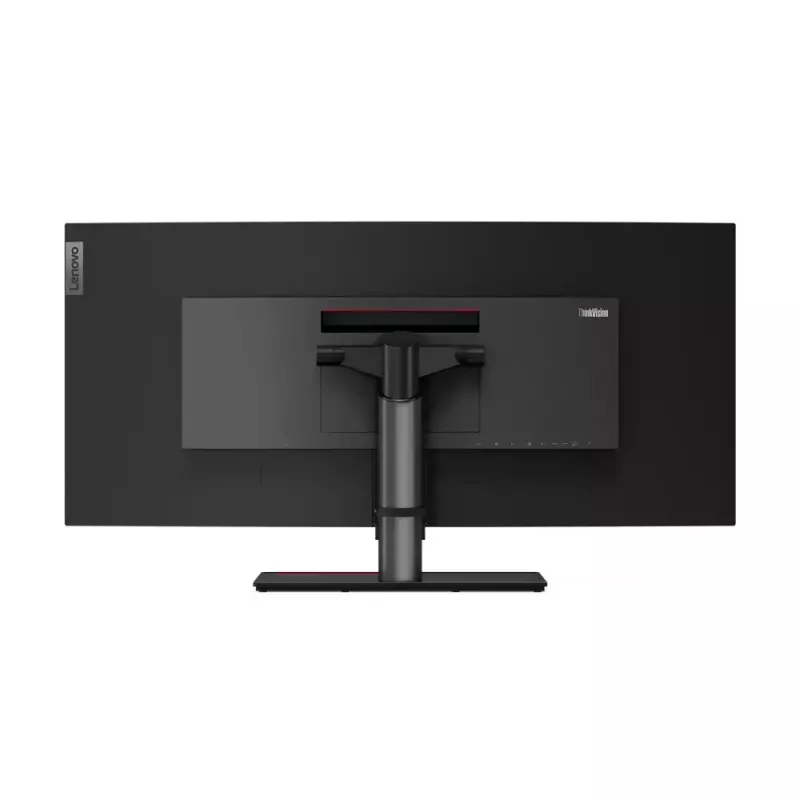
Lenovo ThinkVision P40w-20 monitor de computador 100,8 cm (39,7 polegadas) 5120 x 2160 píxeis 5K Ultra HD LED preto

Lenovo ThinkVision P40w-20 monitor de computador 100,8 cm (39,7 polegadas) 5120 x 2160 píxeis 5K Ultra HD LED preto
36 mês
Lenovo ThinkVision P40w-20 monitor de computador 100,8 cm (39,7 polegadas) 5120 x 2160 píxeis 5K Ultra HD LED preto
1 327,14 €
World’s first Thunderbolt™ 4 professional monitor to support Intel® Active Management Technology for Intel vPro® clients.Seamless productivity requires a seamless overview of your business. ThinkVision P40w-20 gives you exactly that with a host of industry-leading features. Its sweeping 39.7-inch, 2... Ler mais
Stock 16 Código 4152 Marca LENOVO Modelo 62C1GAT6EU Garantia 3 anos

Envios e devoluções

Entrega prevista Segunda-feira, Outubro 26
Receberá atualizações através do nosso sistema de seguimento detalhado
Opções de pagamento
Cartão bancárioVisaMastercardPayPalApple PayGoogle PayTransferência bancária
World’s first Thunderbolt™ 4 professional monitor to support Intel® Active Management Technology for Intel vPro® clients.

Seamless productivity requires a seamless overview of your business. ThinkVision P40w-20 gives you exactly that with a host of industry-leading features. Its sweeping 39.7-inch, 21:9 screen features expansive 5120 x 2160 WUHD resolution that lets you see every sharp detail while taking in the big picture, whether it’s tracking market updates or comparing long-form legal contracts. Depend on consistent, reliable, true-to-life colors from any viewing angle thanks to its In-Plane Switching panel professional display that reproduces color to 98% DCI-P3 and has factory calibrated color with ∆ELenovo ThinkVision P40w-20. Display diagonal: 100.8 cm (39.7"), Display resolution: 5120 x 2160 pixels, HD type: 5K Ultra HD, Display technology: LED, Response time: 6 ms, Native aspect ratio: 21:9, Viewing angle, horizontal: 178°, Viewing angle, vertical: 178°. Built-in USB hub. VESA mounting, Height adjustment. Product colour: Black

How to use

Connect the monitor to a compatible Thunderbolt™ 4 host to enable high-bandwidth data, video, and power delivery. For centralized management in enterprise environments, ensure the connected system is Intel vPro®-enabled and configured for Intel® Active Management Technology. Use the monitor’s wide 21:9 canvas to arrange multiple application windows side by side, compare long documents, or expand timelines in creative software. Adjust brightness and color settings as needed via the on-screen controls to match your workspace lighting.

Recommendations

For optimal color-critical work, perform a verification of factory calibration with your preferred colorimeter and use a consistent ambient lighting setup. In managed IT environments, coordinate with your IT administrator to enable Intel AMT functions and confirm compatibility with existing vPro® management tools.

How to use

Recommendations

For optimal color-critical work, perform a verification of factory calibration with your preferred colorimeter and use a consistent ambient lighting setup. In managed IT environments, coordinate with your IT administrator to enable Intel AMT functions and confirm compatibility with existing vPro® management tools.

How to use

Recommendations

For optimal color-critical work, perform a verification of factory calibration with your preferred colorimeter and use a consistent ambient lighting setup. In managed IT environments, coordinate with your IT administrator to enable Intel AMT functions and confirm compatibility with existing vPro® management tools.

How to use

Recommendations

For optimal color-critical work, perform a verification of factory calibration with your preferred colorimeter and use a consistent ambient lighting setup. In managed IT environments, coordinate with your IT administrator to enable Intel AMT functions and confirm compatibility with existing vPro® management tools.

How to use

Recommendations

For optimal color-critical work, perform a verification of factory calibration with your preferred colorimeter and use a consistent ambient lighting setup. In managed IT environments, coordinate with your IT administrator to enable Intel AMT functions and confirm compatibility with existing vPro® management tools.

How to use

Recommendations

For optimal color-critical work, perform a verification of factory calibration with your preferred colorimeter and use a consistent ambient lighting setup. In managed IT environments, coordinate with your IT administrator to enable Intel AMT functions and confirm compatibility with existing vPro® management tools.

How to use

Recommendations

For optimal color-critical work, perform a verification of factory calibration with your preferred colorimeter and use a consistent ambient lighting setup. In managed IT environments, coordinate with your IT administrator to enable Intel AMT functions and confirm compatibility with existing vPro® management tools.

How to use

Recommendations

For optimal color-critical work, perform a verification of factory calibration with your preferred colorimeter and use a consistent ambient lighting setup. In managed IT environments, coordinate with your IT administrator to enable Intel AMT functions and confirm compatibility with existing vPro® management tools.

How to use

Recommendations

For optimal color-critical work, perform a verification of factory calibration with your preferred colorimeter and use a consistent ambient lighting setup. In managed IT environments, coordinate with your IT administrator to enable Intel AMT functions and confirm compatibility with existing vPro® management tools.

How to use

Recommendations

For optimal color-critical work, perform a verification of factory calibration with your preferred colorimeter and use a consistent ambient lighting setup. In managed IT environments, coordinate with your IT administrator to enable Intel AMT functions and confirm compatibility with existing vPro® management tools.

How to use

Recommendations

For optimal color-critical work, perform a verification of factory calibration with your preferred colorimeter and use a consistent ambient lighting setup. In managed IT environments, coordinate with your IT administrator to enable Intel AMT functions and confirm compatibility with existing vPro® management tools.

How to use

Recommendations

For optimal color-critical work, perform a verification of factory calibration with your preferred colorimeter and use a consistent ambient lighting setup. In managed IT environments, coordinate with your IT administrator to enable Intel AMT functions and confirm compatibility with existing vPro® management tools.

How to use

Recommendations

For optimal color-critical work, perform a verification of factory calibration with your preferred colorimeter and use a consistent ambient lighting setup. In managed IT environments, coordinate with your IT administrator to enable Intel AMT functions and confirm compatibility with existing vPro® management tools.

How to use

Recommendations

For optimal color-critical work, perform a verification of factory calibration with your preferred colorimeter and use a consistent ambient lighting setup. In managed IT environments, coordinate with your IT administrator to enable Intel AMT functions and confirm compatibility with existing vPro® management tools.

How to use

Recommendations

For optimal color-critical work, perform a verification of factory calibration with your preferred colorimeter and use a consistent ambient lighting setup. In managed IT environments, coordinate with your IT administrator to enable Intel AMT functions and confirm compatibility with existing vPro® management tools.

Destaques principais
  • Display size: 39.7 inches, 21:9 aspect ratio
  • Resolution: 5120 x 2160 WUHD
  • Panel type: IPS (In-Plane Switching)
  • Color gamut: 98% DCI-P3
  • Factory calibration: ΔE < 2
  • Connectivity: Thunderbolt™ 4
  • Enterprise features: Intel® Active Management Technology support for Intel vPro® clients
  • Eye care: Natural Low Blue Light
Especificações
Ajuste de altura
Yes
Ajuste de inclinação
Yes
Altifalantes incorporados
No
Altura (sem base)
428.7 mm
Altura ajustável (máx.)
13 cm
Altura da embalagem
526 mm
AMD FreeSync
No
Ângulo de visão, horizontal
178°
Ângulo de visão, vertical
178°
Base incluída
Yes
Brilho do ecrã (típico)
300 cd/m²
Cabos incluídos
AC, Thunderbolt
Câmara incorporada
No
Certificação
ENERGY STAR, CCC, TCO 8.0, TCO Edge 2.0, EPEAT Gold, RoHS (EU 2011/65/EC), Windows Certification, Tier 2, TÜV
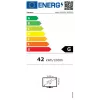
Classe de eficiência energética (SDR)
G
Cobertura sRGB (típica)
99%
Código do Sistema Harmonizado (HS)
85285210
Compatível com High Dynamic Range (HDR)
Yes
Consumo de energia (desligado)
0.5 W
Consumo de energia (máx.)
250 W
Consumo de energia (SDR) por 1000 horas
42 kWh
Consumo de energia (típico)
66 W
Cor do produto
Black
Curvatura do ecrã
2500R
Densidade de pixels
140 ppi
Diagonal do ecrã
100.8 cm (39.7")
Distância entre pixels
0.1815 x 0.181 mm
Ecrã antirreflexo
Yes
Ecrã tátil
No
Escala de eficiência energética
A to G
Formato do ecrã
Curved
Frequência de entrada CA
50 - 60 Hz
Gama de cores
98%
Guia de início rápido
Yes
HDMI
Yes
Hub USB incorporado
Yes
Interface de montagem do painel
100 x 100,200 x 100 mm
Intervalo do ângulo de inclinação
-5 - 22°
Intervalo do ângulo de rotação horizontal
-45 - 45°
Largura (com base)
947.6 mm
Largura (sem base)
947.6 mm
Largura da embalagem
1085 mm
Largura da moldura (inferior)
2.3 cm
Largura da moldura (lateral)
2 mm
Largura da moldura (superior)
2 mm
Microfone incorporado
No
Montagem VESA
Yes
Norma de gama de cores
DCI-P3
Número de cores do ecrã
1.07 billion colours
Número de portas DisplayPort
1
Número de portas HDMI
1
Número de portas upstream
2
Número de portas USB tipo A downstream
4
Número de portas USB tipo B upstream
1
Número de portas USB tipo C downstream
1
NVIDIA G-SYNC
No
On Screen Display (OSD)
Yes
Peso (com base)
14.6 kg
Peso (sem base)
9.9 kg
Peso da embalagem
20 kg
Profundidade (com base)
279.4 mm
Profundidade (sem base)
100.8 mm
Profundidade da embalagem
275 mm
Profundidade de cor
10 bit
Proporção de aspeto nativa
21:9
Rácio de contraste (dinâmico)
3000000:1
Rácio de contraste (típico)
1000:1
Ranhura para cabo de segurança
Yes
Resolução do ecrã
5120 x 2160 pixels
Rotação (pivot)
No
Rotação (pivot)
Yes
Saída de áudio
Yes
Switch KVM integrado
Yes
Taxa de atualização máxima
75 Hz
Tecnologia do ecrã
LED
Tempo de resposta
6 ms
Tempo de resposta (rápido)
4 ms
Tensão de entrada CA
100 - 240 V
Tipo de HD
5K Ultra HD
Tipo de painel
IPS
Tipo de ranhura para cabo de segurança
Kensington
Tipo de retroiluminação
W-LED
Versão DisplayPort
1.4
Versão HDMI
2.0

Etiqueta energética

Abrir documento

Folheto

Abrir documento
Histórico de preços nos últimos 6 meses
Lenovo ThinkVision P40w-20 monitor de computador 100,8 cm (39,7 polegadas) 5120 x 2160 píxeis 5K Ultra HD LED preto
Atual
1 327,14 €
Mais baixo
1 194,89 €
Mais alto
2 220,85 €
Variação 24 h
+49,38 €   +4%
Semana
+35,69 €   +3%
Mês
+120,03 €   +10%

Produtos populares nesta categoria

Vendedor: UAB KUR LT · Laisvės pr. 125A, LT-06118 Vílnius, Lituânia · Código da empresa 303192950 · NIF/IVA UE LT100008198612 · Envio a partir da UE (Lituânia)
Messenger
Olá, sou o assistente de IA da DistriNode. Posso ajudá-lo a encontrar produtos, comparar opções, criar orçamentos em PDF ou abrir pedidos de suporte.