
Conta Contactos
O seu carrinho
Envio por DPD e FedEx
Precisa de ajuda? Pergunte à IA

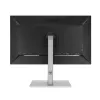
Monitor ASUS ProArt PA278CV 68,6 cm (27 polegadas) 2560 x 1440 píxeis Quad HD LED preto

Monitor ASUS ProArt PA278CV 68,6 cm (27 polegadas) 2560 x 1440 píxeis Quad HD LED preto
36 mês
Monitor ASUS ProArt PA278CV 68,6 cm (27 polegadas) 2560 x 1440 píxeis Quad HD LED preto
287,09 €
Incomparable Color. Unlimited Creativity.ProArt Display PA278CV is a 27-inch monitor designed to satisfy the needs of creative professionals, from photo and video editing to graphic design. ProArt Display PA278CV is factory calibrated and Calman Verified to deliver superb color accuracy (∆E < 2). It... Ler mais
Stock 1 Código 4282 Marca ASUS Modelo 90LM06Q1-B02370 Garantia 3 anos

Envios e devoluções

Entrega prevista Sexta-feira, Outubro 16
Receberá atualizações através do nosso sistema de seguimento detalhado
Opções de pagamento
Cartão bancárioVisaMastercardPayPalApple PayGoogle PayTransferência bancária
Incomparable Color. Unlimited Creativity.
ProArt Display PA278CV is a 27-inch monitor designed to satisfy the needs of creative professionals, from photo and video editing to graphic design. ProArt Display PA278CV is factory calibrated and Calman Verified to deliver superb color accuracy (∆E < 2). It also provides industry-standard 100% sRGB / 100% Rec. 709 color space coverage. The integrated USB-C port supports data transfers, DisplayPort and also support 65W power delivery via one cable provides convenient solution and keep your desk area tidy. PA278CV makes it easy to achieve the exact look you desire quickly, easily and precisely.

Bring out the true beauty of your pictures
The ProArt display delivers industry-standard 100% sRGB/100% Rec. 709 and support DCI-P3 color gamut for rich, vivid reproduction that ensures every detail of your photos is clear and lifelike.

High color fidelity for truly expressive hues
Revel in pure, expressive hues thanks to accurate, true-to-life color reproduction. ProArt displays achieve ∆E < 2, so your images are accurately reproduced on screen – allowing you to see exactly how your work is going to look when it's finished.

True color, right out of box
Color professionals rely on color-accurate displays to ensure that their creations look exactly as intended. ProArt Display PA278CV is factory calibrated and Calman Verified to guarantee industry-leading color accuracy. Every ProArt display undergoes stringent, meticulous testing to ensure smoother color gradation. Consumer of pro, you’re assured color-accurate viewing and content-creation experiences.

Quick color-gamut adjustment
ASUS-exclusive ProArt Preset provides multiple modes for quick color-gamut adjustment. Whether you're color grading, video editing or manipulating photos, you can switch and match your needs easily.

Personalized editing experience
ASUS ProArt Palette lets you customize your display via a wide range of parameters, including color hue, temperature and gamma adjustments – all easily accessed via intuitive on-screen menus. There are also two-point grayscale sliders for all six colors, providing greater color-adjustment flexibility than many competing monitors. ProArt Palette empowers you to produce quickly and consistently, and makes it easy to keep your color management in check.

The USB-C That Does It All
ProArt Display PA278CV gives you unparalleled compatibility with USB-C, HDMI and DisplayPort most multimedia devices. The integrated USB-C port supports data transfers, DisplayPort and also support 65W power delivery. PA278CV also serves as a USB hub, meaning that when you connect to it via USB-C (using C to C cable, or C to A cable), your device gains access to whatever peripherals are connected to the USB ports.

Real-size artwork preview
Save time and work smarter with ASUS QuickFit Virtual Scale. This clever feature overlays a grid on the screen that allows to align and preview documents in their actual sizes prior to printing.

Protect your eyes with ASUS Eye Care technology
ASUS Ultra-Low Blue Light technology
Exclusive ASUS Ultra-Low Blue Light technology protects you from blue-light emissions that may be harmful to your vision. It offers four blue-light filter settings that are easily accessed through the on-screen menu via the hotkey.

ASUS Flicker-Free technology
ASUS Flicker-Free technology provides a more comfortable viewing experience and work environment by reducing on-screen flicker to minimize eye strain, headaches and eye fatigue when you spend long hours in front of the display.

Versatile comfort with ergonomic stand design
With an ergonomically-designed stand with tilt, swivel, pivot and height adjustments, ProArt displays provide comfortable viewing and usage experiences. The ability to pivot the screen clockwise or counterclockwise 90 degrees for use in portrait mode comes in handy when working with long documents, coding or website browsing. Furthermore, the quick-release stand makes it easy to attach the display via the integrated VESA wall mount – screw-free, so it’s done in seconds!

How to use

Connect your laptop or desktop using the USB-C port to transmit video, data and to charge the connected device (up to 65W). Alternatively, use HDMI or DisplayPort for video input. Plug peripherals into the monitor's USB ports to use it as a USB hub. Use the on-screen display and ProArt Palette to select color presets, adjust hue, temperature and gamma, or fine-tune two-point grayscale sliders. Use the stand adjustments or VESA mount to position the screen for comfortable viewing; pivot to portrait mode when working with long documents or code.

Recommendations

For color-critical work, allow the monitor to warm up for at least 30 minutes before final color checks and ensure your editing software and device are set to the same color profile (sRGB, Rec.709 or DCI-P3) to maintain consistency between display and output. Use the included ProArt presets and calibration reports to match your workflow.

Destaques principais
  • Photo editing and retouching
  • Video editing and color grading
  • Graphic design and digital illustration
  • Office work, coding and document review (portrait mode)
  • Display diagonal: 27"
  • Resolution: 2560 x 1440 (Quad HD)
  • Panel type: IPS; Display technology: LED
  • Color coverage: 100% sRGB / 100% Rec.709; DCI-P3 support
  • Color accuracy: Factory calibrated, Calman Verified (∆E < 2)
  • Response time: 5 ms; Contrast ratio: 1000:1
  • Brightness (typical): 350 cd/m²; Viewing angle: 178°/178°
  • Connectivity: USB-C (data, DisplayPort, 65W PD), HDMI, DisplayPort, USB hub (3.2 Gen 1)
  • Built-in speakers; VESA mount; Ergonomic stand with tilt, swivel, pivot and height adjustment
  • Aspect ratio: 16:9; Color: Black
Especificações
Ajuste de altura
Yes
Ajuste de inclinação
Yes
Altifalantes incorporados
Yes
Altura (com base)
524 mm
Altura (sem base)
372 mm
Altura ajustável (máx.)
150 mm
Altura da embalagem
456 mm
AMD FreeSync
Yes
Ângulo de rotação (pivot)
-90 - 90
Ângulo de visão, horizontal
178 °
Ângulo de visão, vertical
178 °
Brilho do ecrã (típico)
350 cd/m²
Cabos incluídos
AC, DisplayPort, HDMI, USB Type-C
Câmara incorporada
No
Classe de eficiência energética (SDR)
G
Cobertura sRGB (típica)
100 %
Código do Sistema Harmonizado (HS)
85285210
Compatibilidade com VESA Adaptive Sync
Yes
Conectividade dos auscultadores
3.5 mm
Consumo de energia (desligado)
0 W
Consumo de energia (PowerSave)
0.5 W
Consumo de energia (SDR) por 1000 horas
32 kWh
Consumo de energia (típico)
21.28 W
Cor da moldura frontal
Black
Cor do produto
Black
Cor dos pés
Silver
Designação comercial do rácio de contraste dinâmico
SmartContrast
Diagonal do ecrã
27 "
Distância entre pixels
0.233 x 0.233
Ecrã tátil
No
Entrada de áudio
No
Escala de eficiência energética
A to G
Formato do ecrã
Flat
Frequência de entrada CA
50 - 60
Frequência horizontal digital
30 - 112
Frequência vertical digital
46 - 75
HDCP
Yes
HDMI
Yes
Hub USB incorporado
Yes
Interface de montagem do painel
100 x 100
Intervalo do ângulo de inclinação
-5 - 35
Intervalo do ângulo de rotação horizontal
-45 - 45
Largura (com base)
615 mm
Largura (sem base)
615 mm
Largura da embalagem
731 mm
Montagem VESA
Yes
Número de altifalantes
2
Número de cores do ecrã
16.7 million colours
Número de portas DisplayPort
2
Número de portas HDMI
1
Número de portas USB tipo A downstream
4
Número de portas VGA (D-Sub)
0
Peso (com base)
8400 g
Peso da embalagem
10700 g
Porta DVI
No
Posicionamento no mercado
Graphics design
Potência nominal RMS
4 W
Profundidade (com base)
228 mm
Profundidade (sem base)
54 mm
Profundidade da embalagem
227 mm
Proporção
16:9
Proporção de aspeto nativa
16:9
Rácio de contraste (dinâmico)
100000000:1
Rácio de contraste (típico)
1000:1
Ranhura para cabo de segurança
Yes
Registo Europeu de Produtos para a Etiquetagem Energ. (EPREL)
384242
Resolução do ecrã
2560 x 1440
Resoluções gráficas suportadas
2560 x 1440
Rotação (pivot)
Yes
Rotação (pivot)
Yes
Saída para auscultadores
Yes
Saídas para auscultadores
1
Tamanho visível, horizontal
596.7 mm
Tamanho visível, vertical
335.7 mm
Taxa de atualização máxima
75 Hz
Tecnologia do ecrã
LED
Tecnologia Low Blue Light
Yes
Tecnologia sem cintilação
Yes
Tempo de resposta
5 ms
Tensão de entrada CA
100 - 240
Tipo de embalagem
Box
Tipo de HD
Quad HD
Tipo de painel
IPS
Tipo de porta de carregamento
USB Type-C
Tipo de porta USB upstream
USB Type-C
Tipo de ranhura para cabo de segurança
Kensington
Tipo de retroiluminação
LED
USB Power Delivery até
65 W
Versão DisplayPort
1.2
Versão do hub USB
3.2 Gen 1 (3.1 Gen 1)
Versão HDMI
1.4

Etiqueta energética

Abrir documento

Folheto

Abrir documento
Histórico de preços nos últimos 6 meses
Monitor ASUS ProArt PA278CV 68,6 cm (27 polegadas) 2560 x 1440 píxeis Quad HD LED preto
Atual
287,09 €
Mais baixo
286,41 €
Mais alto
609,30 €
Variação 24 h
-0,55 €   0%
Semana
-0,03 €   0%
Mês
-10,46 €   -4%

Avaliações independentes da imprensa tecnológica

monitornerds.comPaolo

Veredicto: The Asus PA278CV is a fantastic buy at its current price point for users who want a capable editing screen with some gaming chops. The IPS panel is accurate out of the box, but it also responds to calibration quite well. We like that it has USB-C for mode...

Pontos positivos
  • Excellent Color Accuracy (Default and Calibrated)
  • Attractive Design
  • Includes 65-Watt USB-C
  • Reasonable Price
  • FreeSync and G-Sync Compatible
Pontos negativos
  • OSD Buttons
  • Limited Contrast
Leia a avaliação completa em monitornerds.com →
rtings.comSamuel
7.9/10

“The ASUS ProArt Display PA278CV is a decent overall monitor. This is the 2021 update to the ASUS ProArt Display PA278QV, and while it performs largely the same, it comes with a few extra features that its predecessor lacks, like a USB-C port.”

Pontos positivos
  • Excellent color gamut
  • Wide viewing angles
  • Large screen size and high resolution
  • Built-in ruler and screen overlays to aid measurement/alignment
Pontos negativos
  • Mediocre contrast ratio
  • Lacks HDR support
Leia a avaliação completa em rtings.com →

Produtos populares nesta categoria

Olá, sou o assistente de IA da DistriNode. Posso ajudá-lo a encontrar produtos, comparar opções, criar orçamentos em PDF ou abrir pedidos de suporte.