
Conta Contactos
O seu carrinho
Envio por DPD e FedEx
Precisa de ajuda? Pergunte à IA

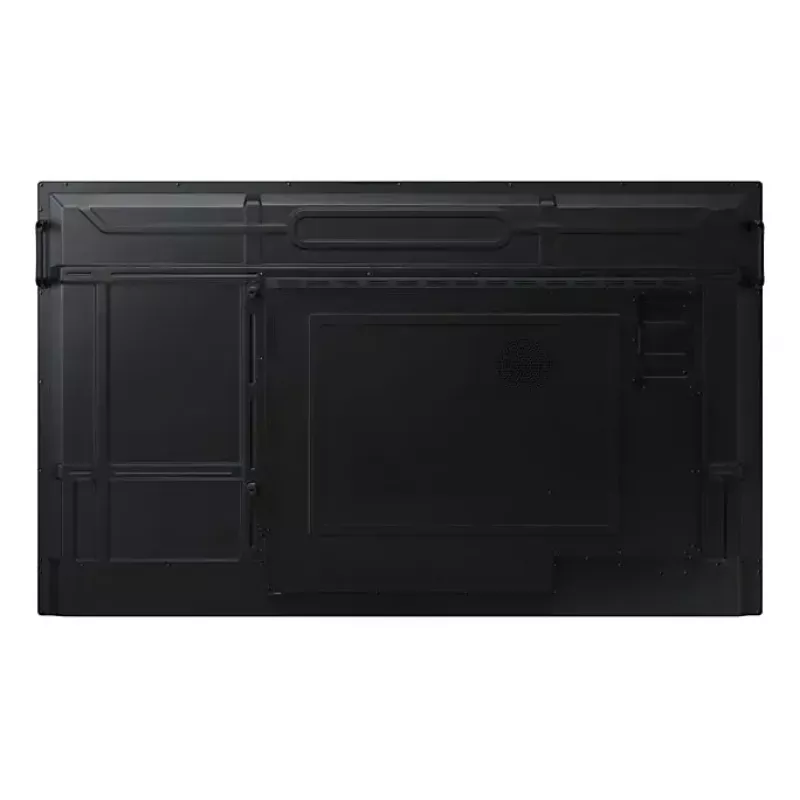
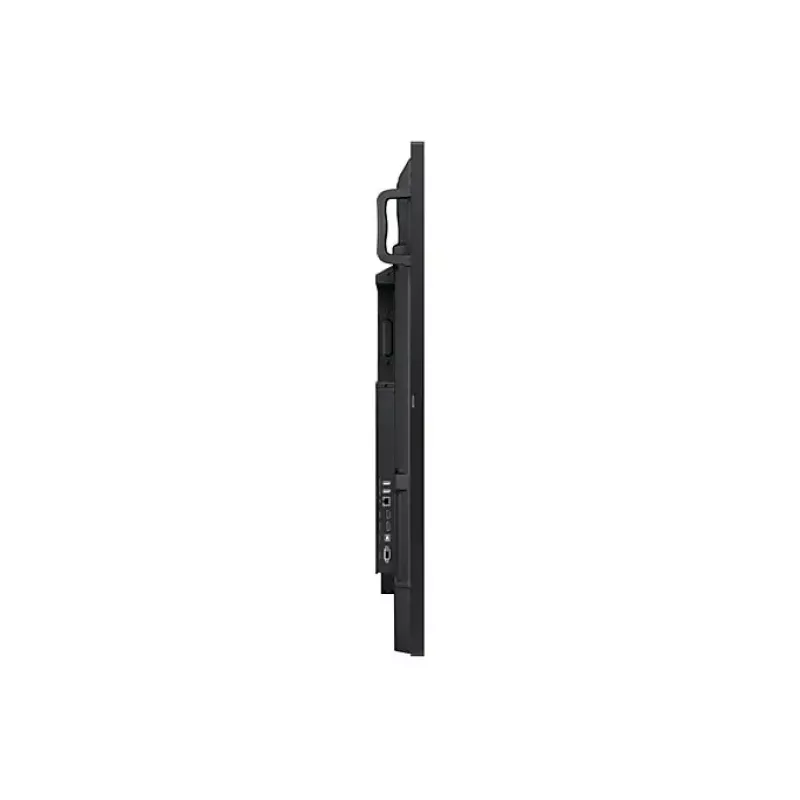
Monitor Samsung LH86WAFWLGCXEN 86 polegadas ecrã tátil 3840 x 2160

Monitor Samsung LH86WAFWLGCXEN 86 polegadas ecrã tátil 3840 x 2160
36 mês
Monitor Samsung LH86WAFWLGCXEN 86 polegadas ecrã tátil 3840 x 2160
1 803,05 €
Unlimited Learning Possibilities The interactive display WAF series, powered by Android OS, enhances education with Google services and a seamless annotation function. Instantly take notes at any moment and empower students to collaborate independently in separate zones, usheri... Ler mais
Stock 28 Código 4406 Marca SAMSUNG Modelo LH86WAFWLGCXEN Garantia 3 anos

Envios e devoluções

Entrega prevista Quarta-feira, Outubro 14
Receberá atualizações através do nosso sistema de seguimento detalhado
Opções de pagamento
Cartão bancárioVisaMastercardPayPalApple PayGoogle PayTransferência bancária
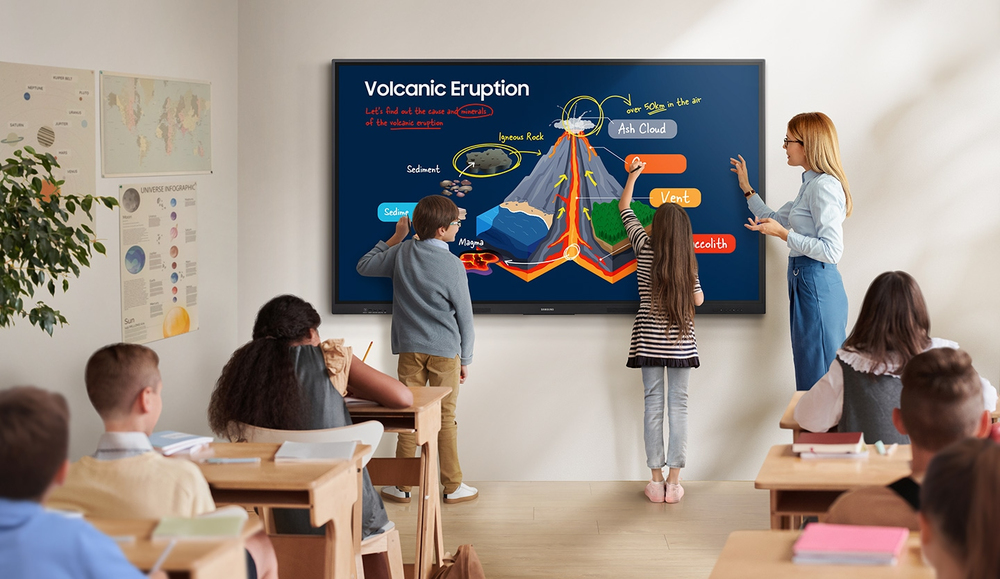
Unlimited Learning Possibilities

Unlimited Learning Possibilities

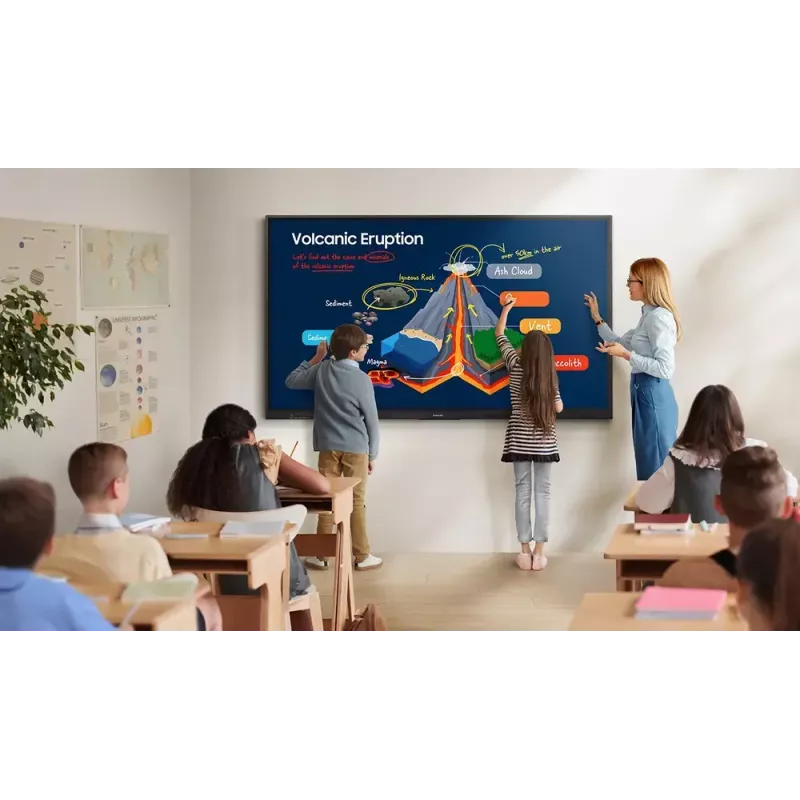
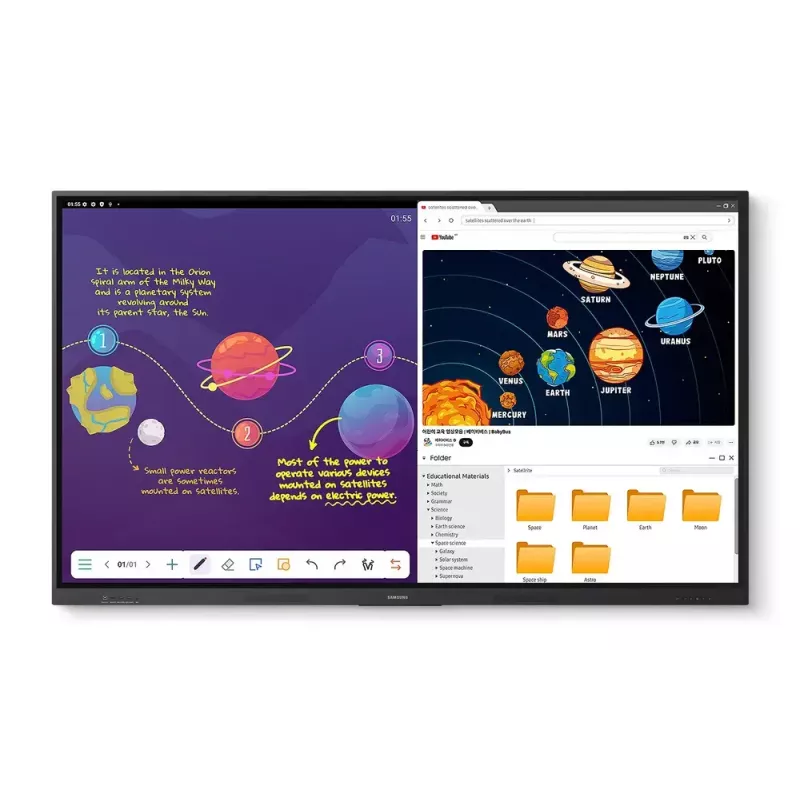
The interactive display WAF series, powered by Android OS, enhances education with Google services and a seamless annotation function. Instantly take notes at any moment and empower students to collaborate independently in separate zones, ushering in a new era of interactive education.

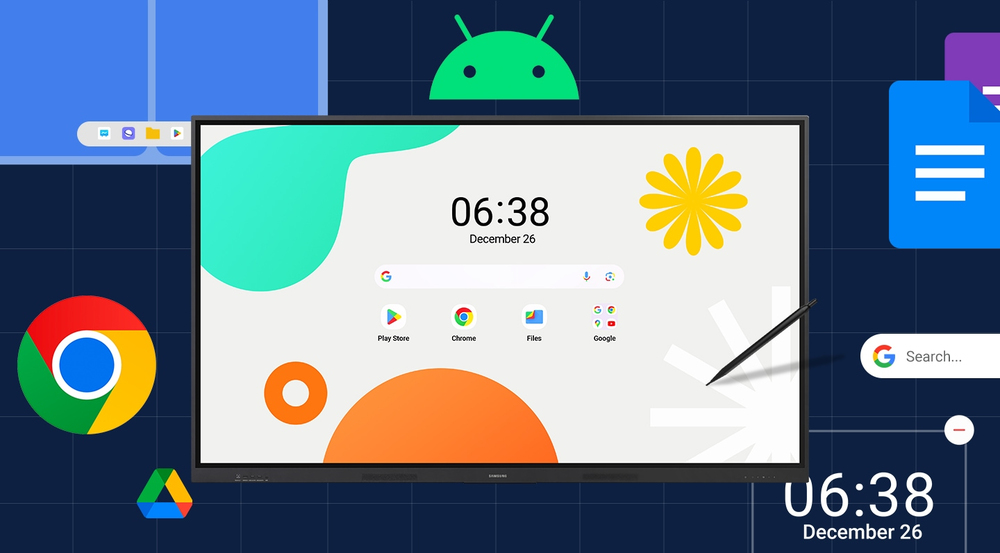
An intuitive UX that fits your needs

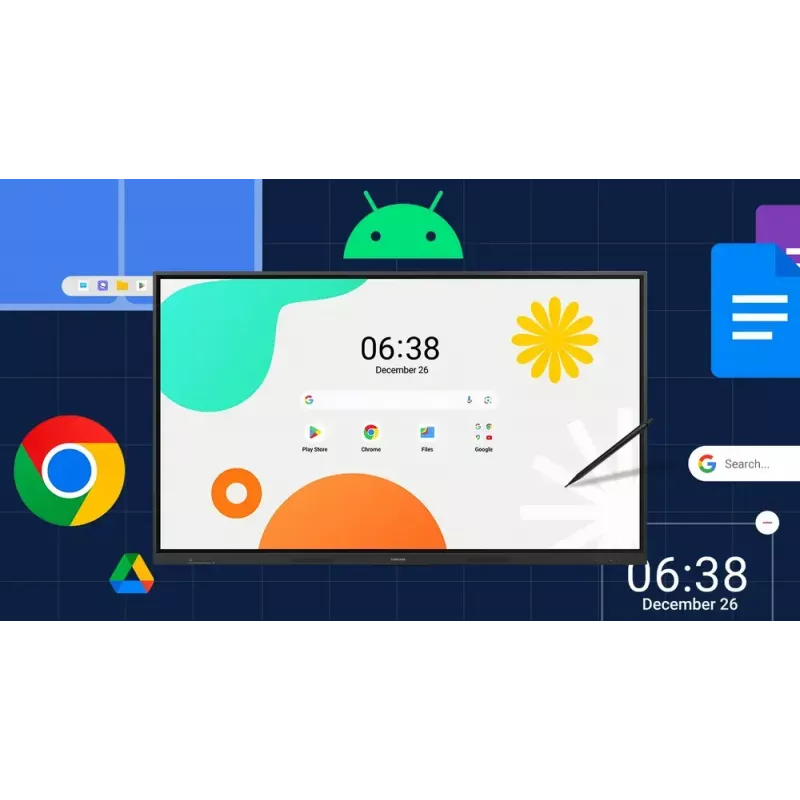
Powered by Android™The WAF series offers familiarity to its users. It's compatible with other Android devices and provides a variety of widgets and an easily customizable home screen. These features create more flexibility in building an environment that suits various learning needs.
An intuitive UX that fits your needs
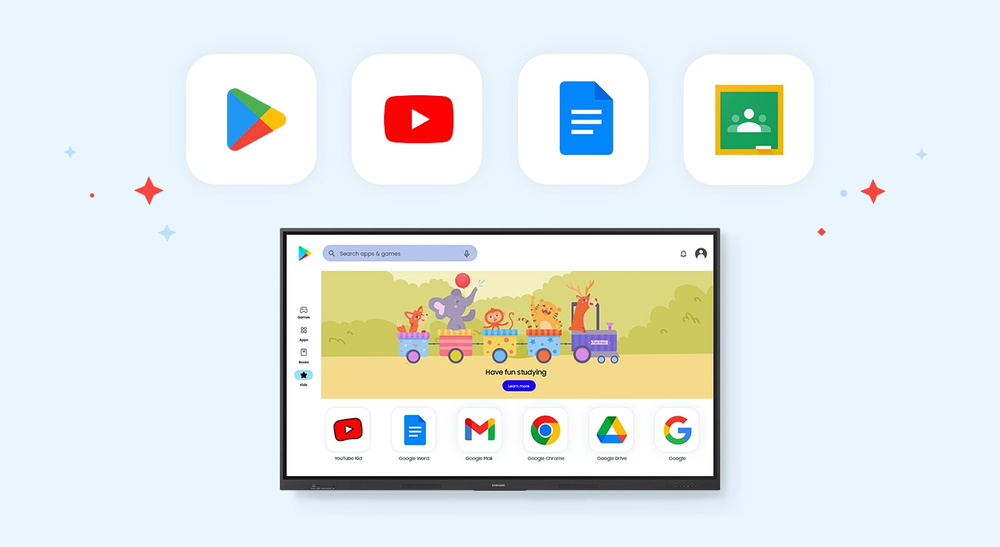
Effortless access to Google services

Effortless access to Google services

EDLA CertificationWith an EDLA certification, the WAF series supports a variety of Google services like Google Play and YouTube. This access to major educational apps like Google Classroom leads to increased efficiency and enhanced communication with students.

Take notes instantly, anywhere on the screen
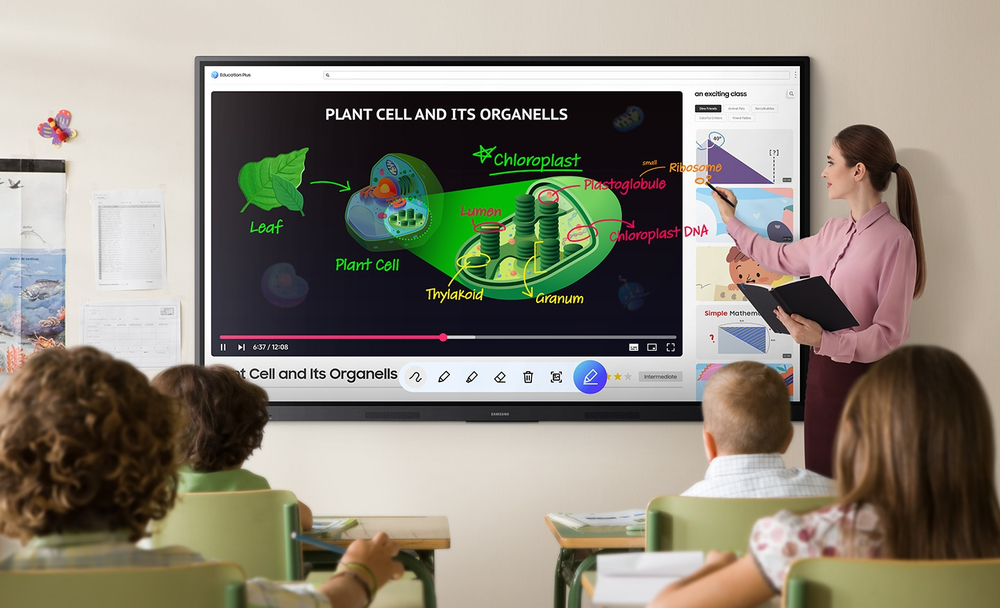
Annotation OnThe WAF series lets users take notes anytime with a simple press of the always-visible Annotation button. Whether watching a video or viewing any content, users can seamlessly annotate without interruptions, avoiding the need to capture images first and enhancing productivity.
Take notes instantly, anywhere on the screen
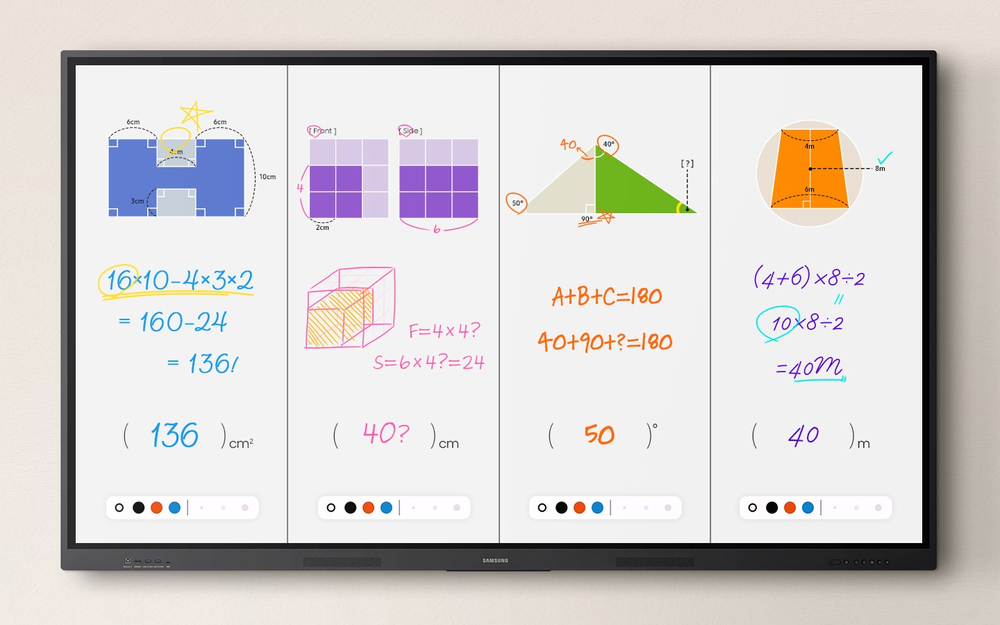
Write independently, learn together

Write independently, learn together

Split Note ModeThe upgraded Note app allows up to four independent note zones on a single page, enabling multiple students to use the whiteboard simultaneously. Students can work in their own zones without affecting others, fostering both collaboration and individual learning.

Display multiple screens simultaneously
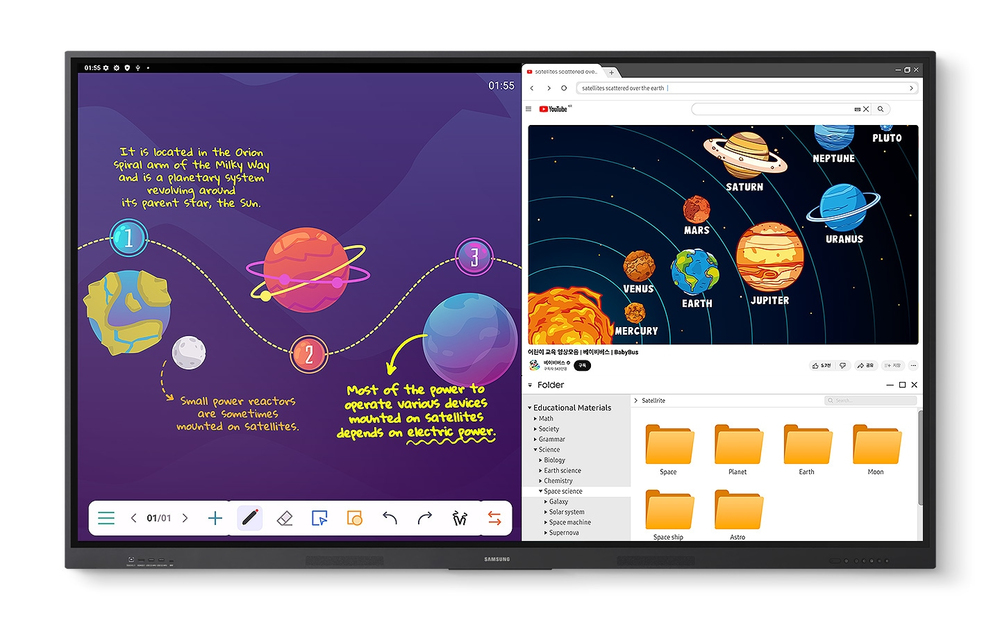
Easy MultitaskingThe split screen and multi-window, enable teachers to easily display information and multitask at the same time on the WAF series. This flexibility provides convenient access to all the screens required to create engaging learning environments.
Display multiple screens simultaneously
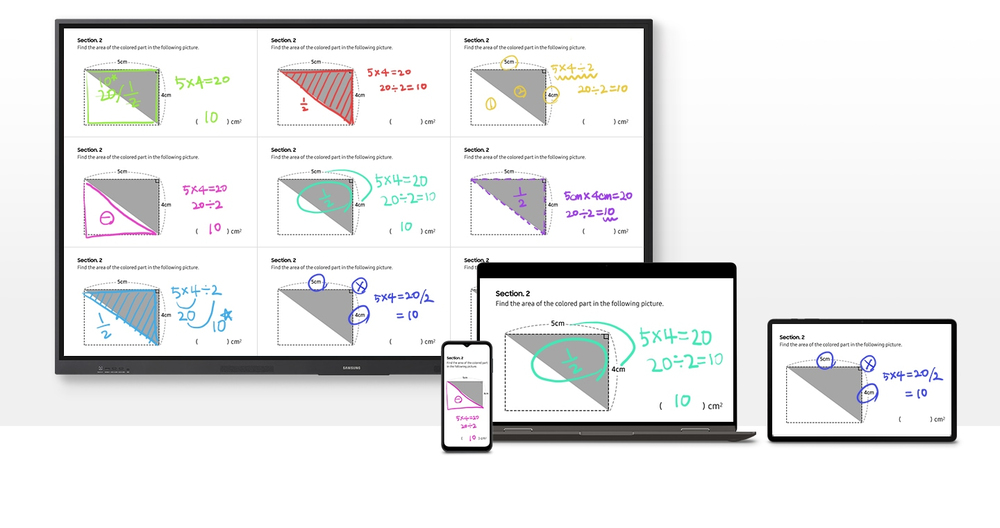
Smart, wireless sharing on multiple devices

Smart, wireless sharing on multiple devices

Powerful Screen SharingThe WAF series supports screen mirroring for up to nine devices, increasing student engagement. This feature ensures every student is included and engaged as content can be shared on both the large display and individual devices. It can be used on iOS, Mac, Windows, Android.

Better interaction with best-in-class multi-touch
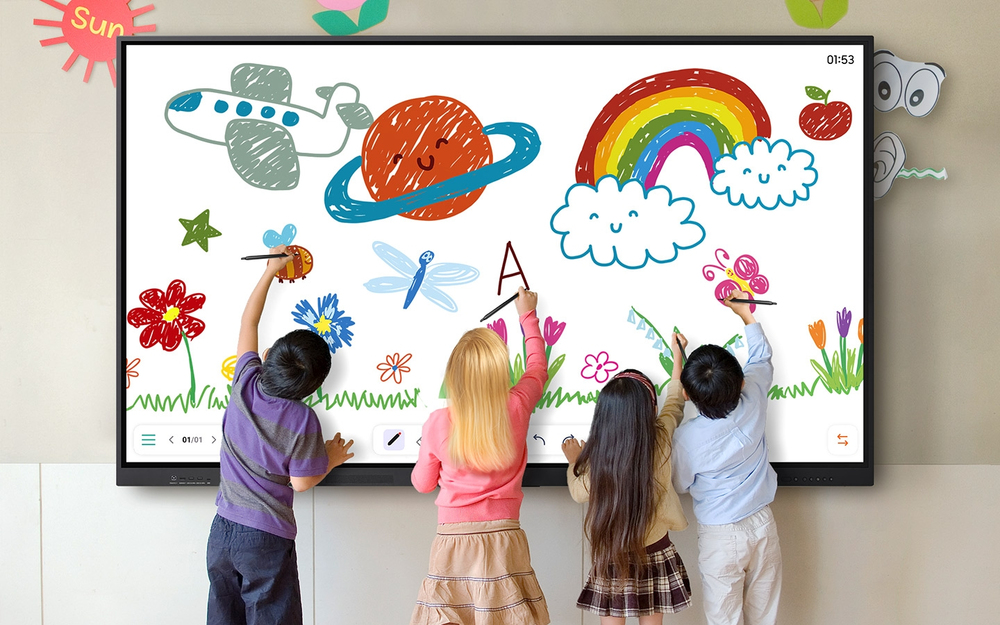
Multi-point touch drawingMultiple users can write and draw on the whiteboard at the same time with the displays advanced multi-touch capabilities. Up to 40 simultaneous touchpoints are possible, allowing large groups of students and teachers to collaborate and learn together in a fun and natural way.
Better interaction with best-in-class multi-touch
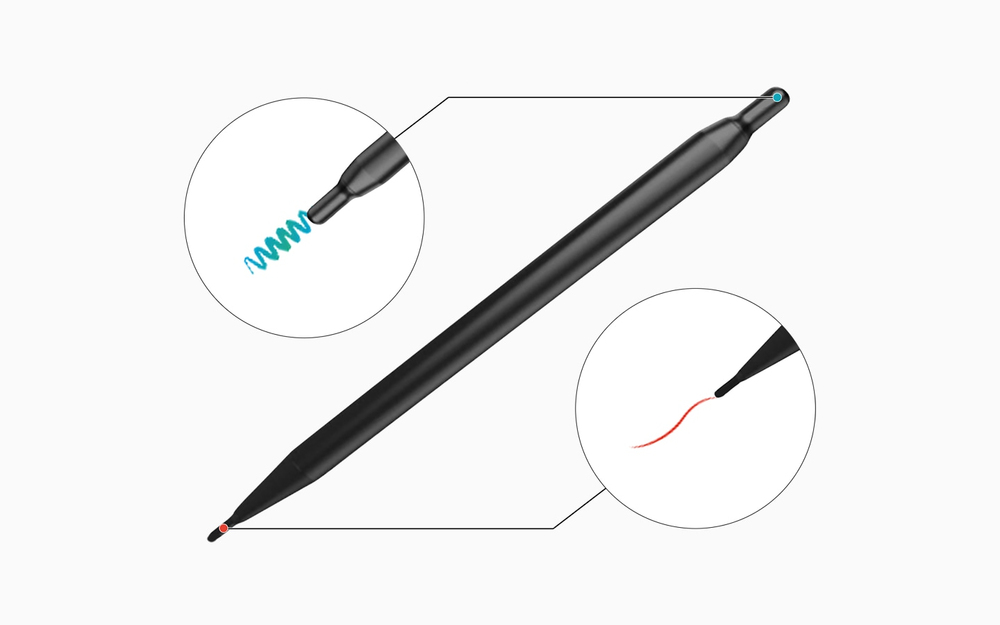
Switch pens without changing settings

Switch pens without changing settings

Dual PenThe dual pen function enables the use of two different writing tools with no downtime. With the double-sided nib applied, users can effortlessly switch between two different colors on the front and back side of the pen – without needing to change the settings or interrupt the flow of the lesson.

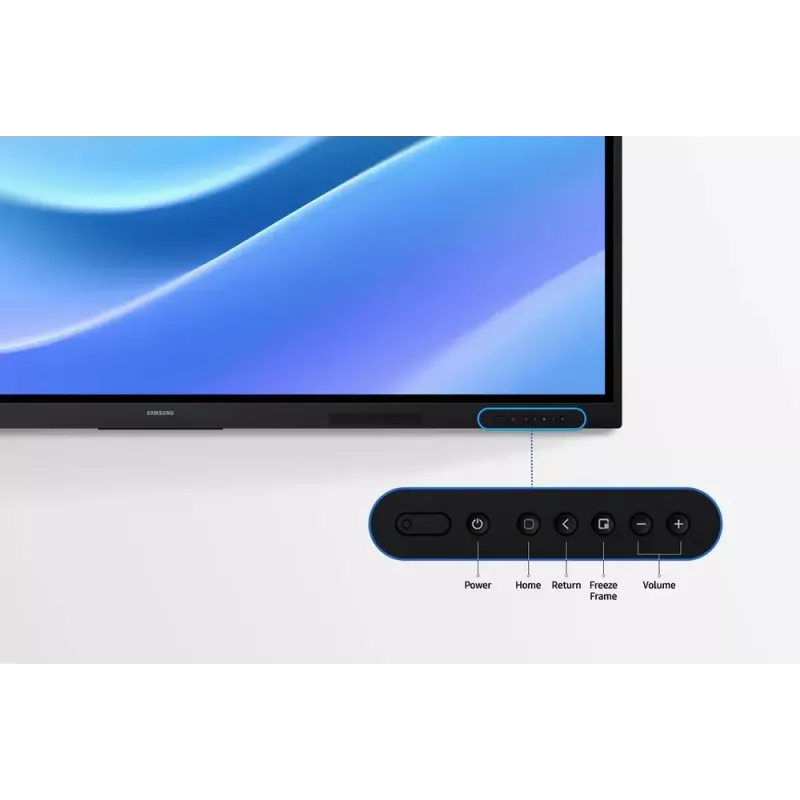
Front panel controls for intuitive navigation
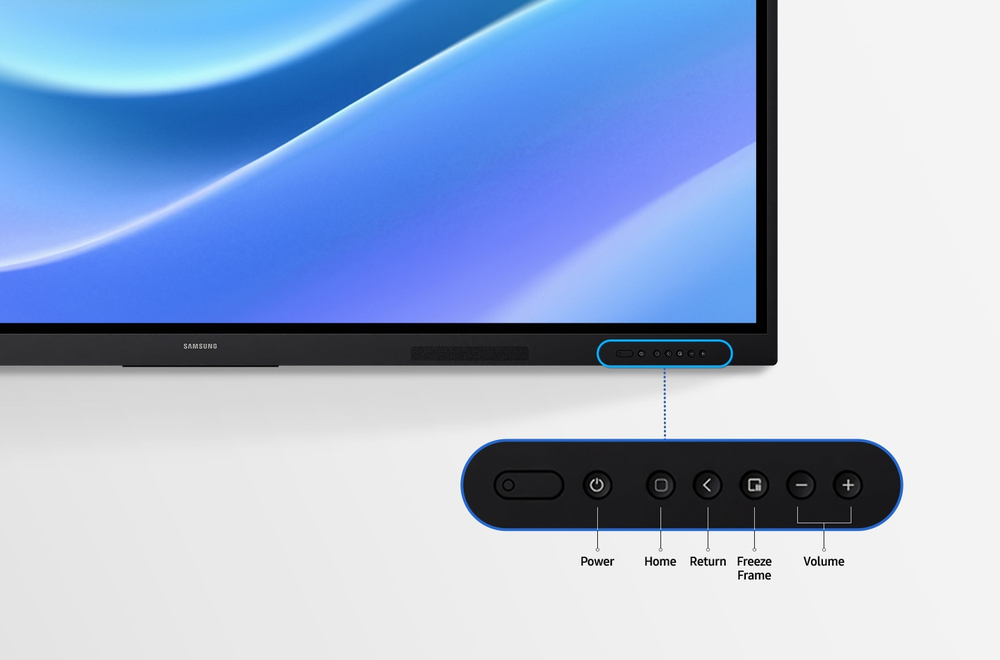
Quick Access ControlsThe WAF includes front-facing physical controls for quick access to frequently used functions. These intuitive controls allow users to operate the interactive display more efficiently, enhancing the overall user experience.
Front panel controls for intuitive navigation
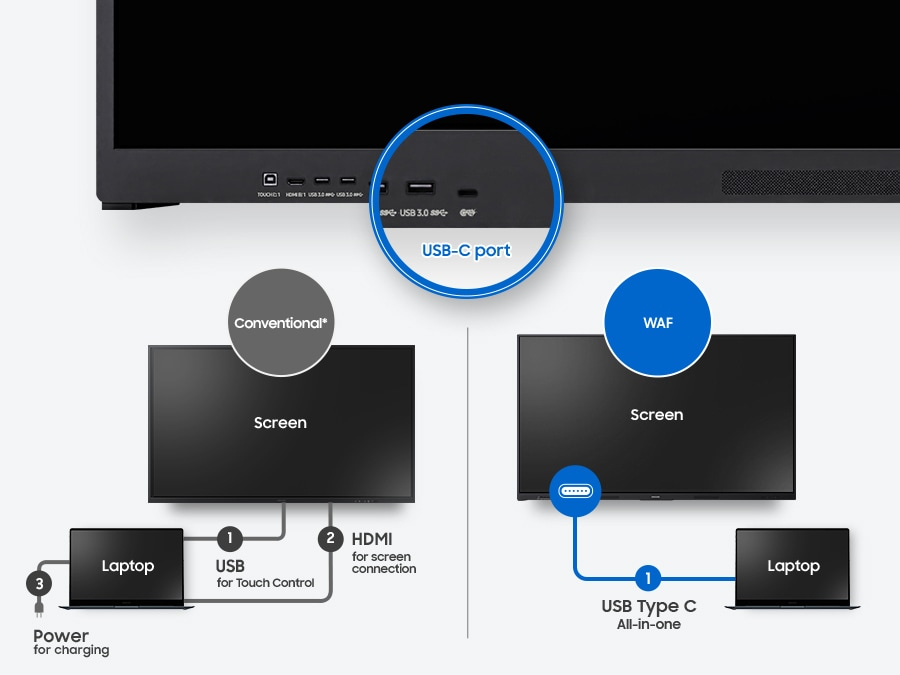
Convenient connectivity with USB-C

Convenient connectivity with USB-C

3-in-1 USB-C portConnectivity is enhanced with the 3-in-1 USB-C port, enabling screen mirroring, touch control and external device charging (max. 65W). Teachers can simply connect to the USB Type-C port, allowing them to deliver interactive and engaging lessons without any hassle.

Accessible content for any class size
HDMI outWith the HDMI Out function, whiteboard screen content can be shared on a different and larger screen in the classroom. This feature ensures teachers can provide a real-time, interactive experience for students who can easily view the screen content regardless of where they sit in the classroom.
Accessible content for any class size
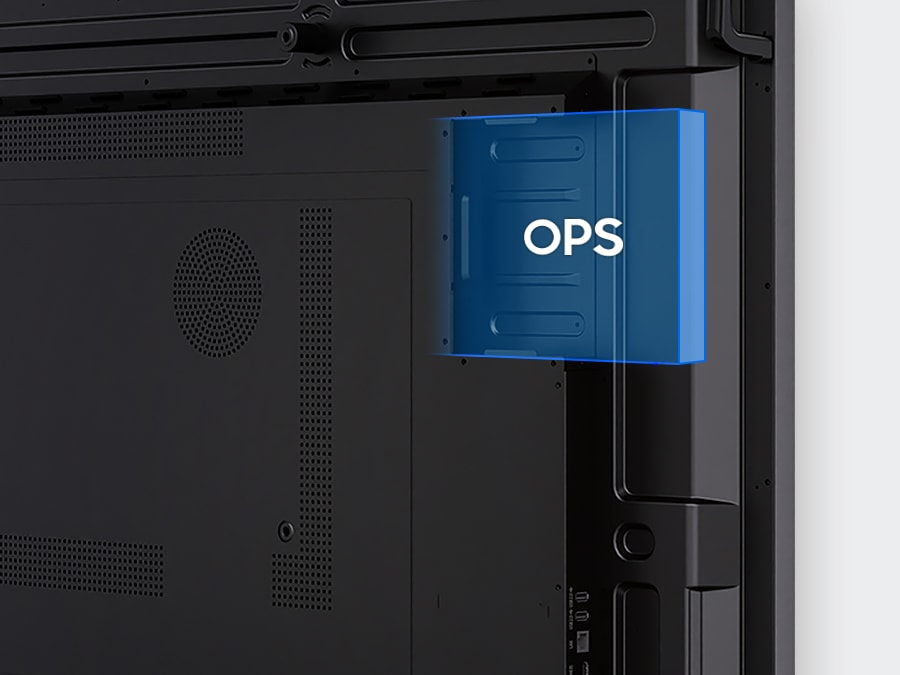
Use your favorite OS for the learning

Use your favorite OS for the learning

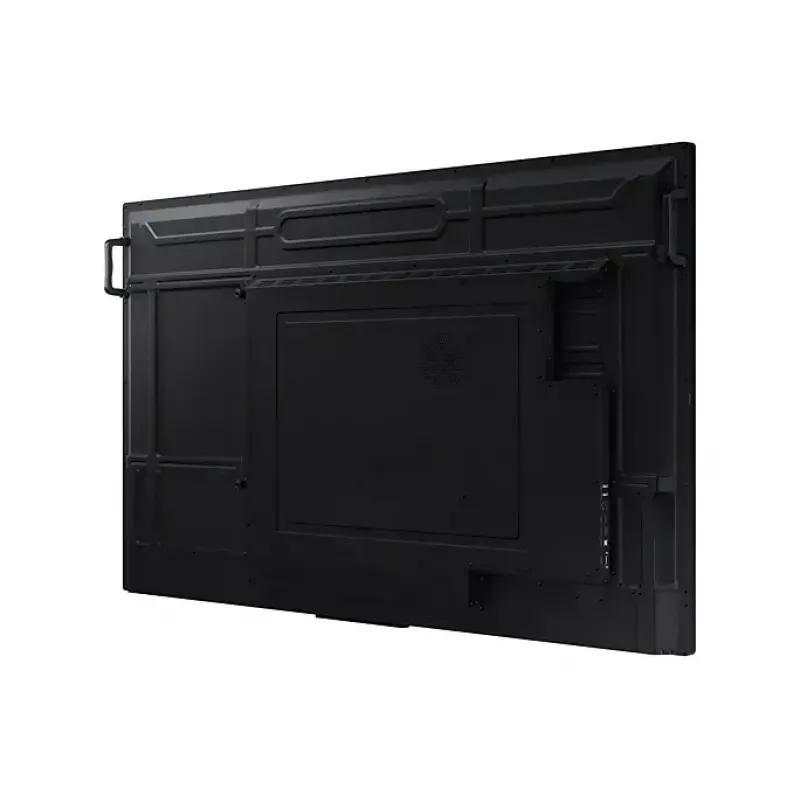
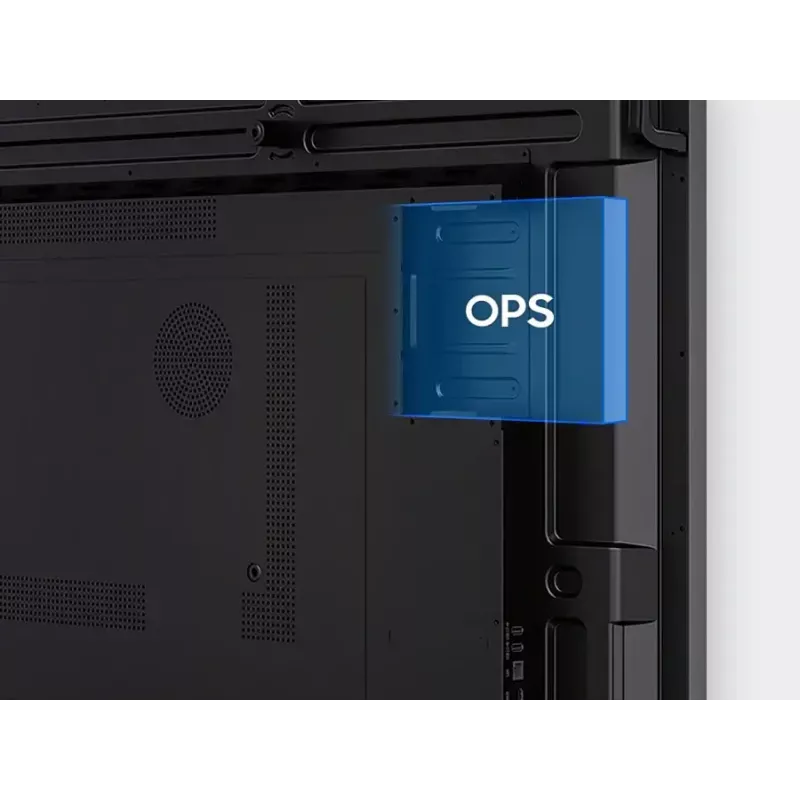
OPS (Open Pluggable Specification)The OPS slot in the WAF series can transform the interactive display into a Windows device, eliminating the need for an extra PC or devices. Users will have access to all the features and functionalities they are familiar with from a standard computer, directly on the display.

Seamless management, efficient operations
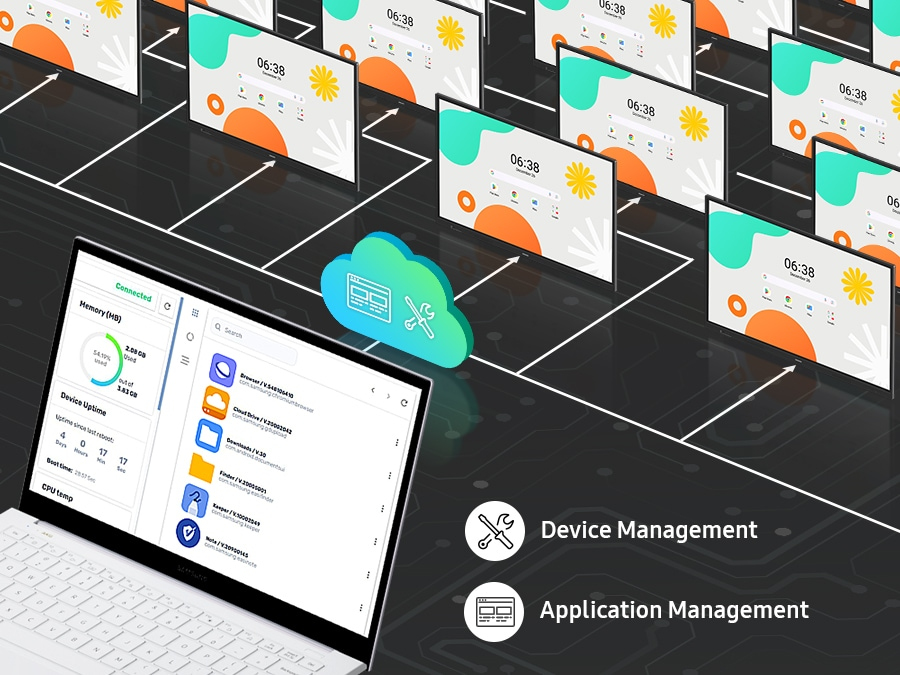
Device Management SolutionThe WAF series provides a device management solution[1] essential for advanced educational environments. This solution optimizes the remote management of whiteboard settings and applications, guaranteeing operational efficiency and stability.
Seamless management, efficient operations
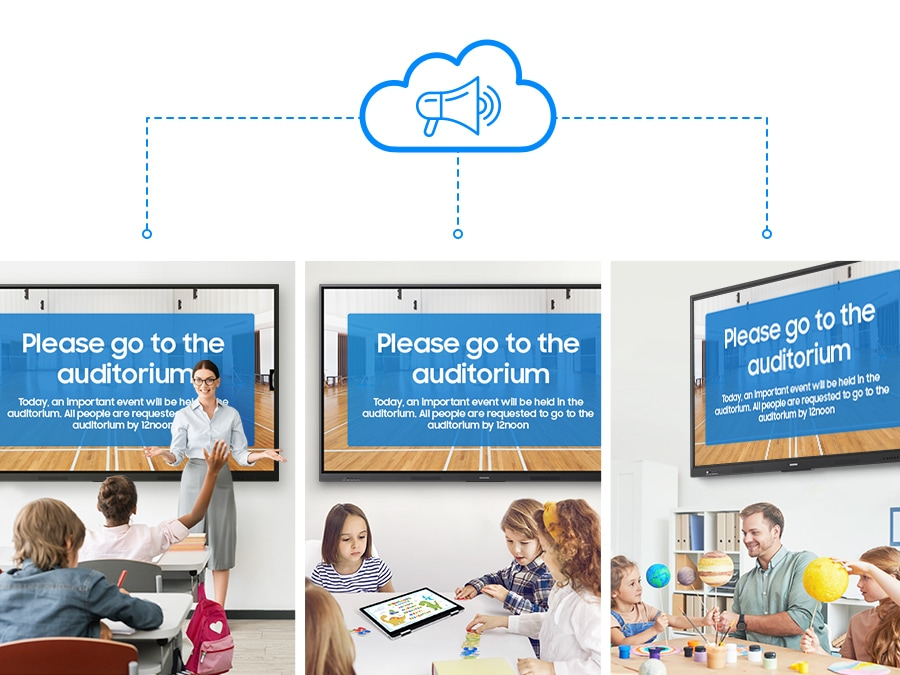
Notify across multiple devices, immediately

Notify across multiple devices, immediately

Advanced MessagingSend important messages across campuses, classrooms and public spaces immediately. Urgent communications are displayed on interactive whiteboards so students and other personnel are alerted in real time.

How to use

Turn on the interactive display and sign in to your Google account to access Google Play and other certified services. Use the visible Annotation button to write on any screen immediately; open the Note app to create up to four independent zones for group activities. Employ split-screen or multi-window modes to present different materials simultaneously. For wireless sharing, enable screen mirroring on student devices and connect up to nine sources. Use the dual pen to switch colors by flipping the nib, and operate common functions with the front quick-access buttons. Connect laptops or devices via the 3-in-1 USB-C port for mirroring, touch control and charging, or use HDMI Out to broadcast the whiteboard to a larger display. Insert an OPS module if you need a Windows environment and manage multiple displays remotely through the device management solution. Use Advanced Messaging to send urgent notices to all connected interactive boards.

Recommendations

For optimal classroom performance, keep the display firmware and installed apps updated, use the device management solution to apply consistent settings across units, and pair the WAF series with compatible USB-C or OPS modules when specific OS environments or higher charging power are required.

Destaques principais
  • Operating system: Android
  • EDLA certification: supports Google services (Google Play, YouTube, Google Classroom)
  • Annotation: always-visible Annotation button for instant notes
  • Note zones: Split Note Mode — up to 4 independent zones
  • Multitasking: split-screen and multi-window support
  • Screen sharing: up to 9 devices; compatible with iOS, Mac, Windows, Android
  • Multi-touch: up to 40 simultaneous touchpoints
  • Pen: Dual Pen with double-sided nib for two colors without settings change
  • Controls: front-facing quick access physical buttons
  • USB-C: 3-in-1 port (screen mirroring, touch control, charging max 65W)
  • HDMI Out: share whiteboard content to an external display
  • OPS slot: supports Windows via Open Pluggable Specification
  • Device management: remote management solution for settings and apps
  • Messaging: advanced messaging to notify multiple displays in real time
Especificações
Altura
1170 mm
Altura da embalagem
1265 mm
Ângulo de visão, horizontal
178°
Ângulo de visão, vertical
178°
Bluetooth
Yes
Brilho do ecrã
400 cd/m²
Caneta incluída
Yes
Certificação
IEC62368-1 / UL62368-1 / IEC60950-1 / IS13252
Certificados de conformidade
Federal Communications Commission (FCC)
Conectividade dos auscultadores
3.5 mm
Consumo de energia (em espera)
0.5 W
Consumo de energia (suspensão)
0.5 W
Consumo de energia (típico)
493 W
Cor do produto
Black
Diagonal do ecrã
2.18 m (86")
Distância entre pixels
493.5 x 493.5 mm
Ecrã tátil
Yes
Entrada de linha
Yes
Ethernet LAN
Yes
Frequência de entrada CA
50/60 Hz
Frequência de pixels (máx.)
78 MHz
Gama de cores
72%
HDCP
Yes
Horas de funcionamento (horas/dias)
12/7
Humidade relativa de funcionamento (H-H)
10 - 80%
Interface de montagem do painel
800 x 600 mm
Largura
1961.8 mm
Largura da embalagem
2095 mm
Memória do utilizador
64 GB
Montagem VESA
Yes
Norma Wi-Fi máxima
Wi-Fi 5 (802.11ac)
Normas Wi-Fi
Wi-Fi 5 (802.11ac)
Número de portas HDMI
2
Número de portas USB 2.0
2
Número de portas USB 3.2 Gen 1 (3.1 Gen 1) tipo A
2
Número de portas USB tipo C
1
Peso
62.5 kg
Peso da embalagem
74.1 kg
Portas Ethernet LAN (RJ-45)
1
Portas RS-232
1
Profundidade
87.7 mm
Profundidade da embalagem
185 mm
Rácio de contraste (típico)
1200:1
Resolução do ecrã
3840 x 2160 pixels
Saída de linha
Yes
Saída de vídeo
Yes
Sistema operativo instalado
Android
Taxa de difusão
25%
Telecomando incluído
Yes
Temperatura de funcionamento (T-T)
0 - 40 °C
Tempo de resposta
8 ms
Tensão de entrada CA
100-240 V
Tipo de ecrã tátil
Infrared
Tipo de HD
4K Ultra HD
Tipo de painel
IPS
Versão do sistema operativo
14
Versão HDCP
2.1
Versão HDMI
2.1
Wi-Fi
Yes

Folheto

Abrir documento
Histórico de preços nos últimos 6 meses
Monitor Samsung LH86WAFWLGCXEN 86 polegadas ecrã tátil 3840 x 2160
Atual
1 803,05 €
Mais baixo
1 346,24 €
Mais alto
3 023,08 €
Variação 24 h
+110,46 €   +7%
Semana
-82,47 €   -4%
Mês
+116,87 €   +7%

Produtos populares nesta categoria

Olá, sou o assistente de IA da DistriNode. Posso ajudá-lo a encontrar produtos, comparar opções, criar orçamentos em PDF ou abrir pedidos de suporte.