
Conta Contactos
O seu carrinho
Envio por DPD e FedEx
Precisa de ajuda? Pergunte à IA

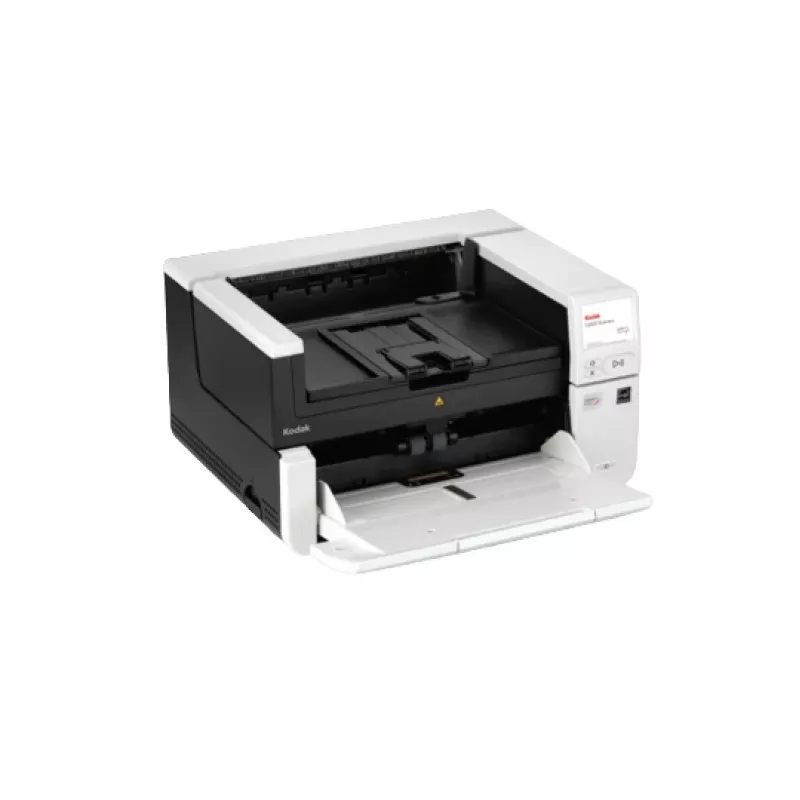
Scanner ADF Kodak S3140 MAX 600 x 600 DPI A3 preto, branco

Scanner ADF Kodak S3140 MAX 600 x 600 DPI A3 preto, branco
7 638,77 €
A connected scanner built for high performance and maximum throughputBest in class. Built to last.The KODAK S3140 Max and S3120 Max Scanners are powerful connected solutions with robust media handling capabilities. Built for high performance and maximum throughput, these compact production scanners ... Ler mais
Stock 2 Código 2391427 Marca KODAK Modelo 8009441 Garantia 2 anos

Envios e devoluções

Entrega prevista Sexta-feira, Outubro 16
Receberá atualizações através do nosso sistema de seguimento detalhado
Opções de pagamento
Cartão bancárioVisaMastercardPayPalApple PayGoogle PayTransferência bancária
A connected scanner built for high performance and maximum throughput

Best in class. Built to last.
The KODAK S3140 Max and S3120 Max Scanners are powerful connected solutions with robust media handling capabilities. Built for high performance and maximum throughput, these compact production scanners include robust security features, advanced image processing, and unique feeding technologies that create an exceptional user experience. ​

Key Advantages
Do you have a need for speed? The KODAK S3140 Max Scanner is our fastest departmental scanner, with 140 ppm / 280 ipm and a large 500-sheet document feeder. Other key advantages of the Max Series include:

On-board image processing
“System on a chip” technology reduces demands on your PCs to speed up your scanning workflows and boost productivity.

Simplified scanning
Our Smart Touch software is included to help get your business-critical data where it needs to be with the simple push of a button. The intuitive color touchscreen and personalized workflows make it easy to automate complicated tasks.

Scan directly to apps
Import information directly into applications with TWAIN, ISIS, or RESTful API based scanning.

Enhanced security
Secure-boot solution, encryption over wire for network traffic, and USB 3.2 Gen 1x1-compatible.

Technology that’s built for speed
From media controls to embedded processing, our superior paper handling and capture speeds accelerate your document workflows and productivity. For single page re-scans, we’re up to 2.5x faster than competitors.​

- Our unique media controls eliminate errors and interruptions so you can get more work done.
- Twin rollers initiate the scanning process – feeding an impressive 140 pages per minute through a series of passive and dynamic document separation technologies to ensure that every page is scanned.​​

UX that’s easy on your operators
We design our control panels with your workflows and users in mind. Large, colorful menus make operations simple, fast, and intuitive.

- RESTful API enabled for single-touch, PC-free scanning directly into business applications and workflows.​
- With local administration, Smart Touch technology can turn manual scanning tasks into a controlled workflow with the simple touch of a button.
- Built-in Gigabit Ethernet allows multiple users to share the scanner within a department.
- Protect workflows with PIN code access and unlock user-specific tasks.

Exceptional image quality delivers seamless workflow automation
With over 30 years of pioneering R&D, our imaging technology ensures we deliver a Perfect Page every time, so you can easily extract the information you need, when and where you need it. Get clear, accurate, and searchable PDF files or data extraction results for 126 different languages.

- Your eyes will never see a better scanned image. No blurring, no spots, just a clean, well-cropped image that's better than the original.
- Our text enhancement technology makes every letter crisp and sharp, so they stand off the page to help you make sense of your data.
- Our unique dual-light illumination technology produces brighter, sharper images, eliminating shadows caused by folds or wrinkles.

Scanning your way
Our scanners operate in multiple imaging modes to support your specific needs, accelerating throughputs for all your document processing.​ The KODAK S3140 Max Scanner is ready to meet important compliance standards, right out of the box.

- In shared environments, network connectivity and onboard image processing make it easy to deliver high-quality images to folder structures within your organization, right from the scanner.
- For organizations that need to submit FADGI-compliant digital records to the federal government, The KODAK S3140 Max features a simple FADGI switch that makes it easy to toggle between FADGI output mode and normal document scanning.
- Automatically create images that are compliant with Modern Textual Records (MTR) standard.

Kodak S3140 MAX. Maximum scan size: 305 x 457 mm, Optical scanning resolution: 600 x 600 DPI, Input colour depth: 48 bit. Scanner type: ADF scanner, Product colour: Black, White, Display: LCD. Sensor type: Dual CIS, Daily duty cycle (max): 50000 pages, Light source: RGB LED. Standard input capacity: 500 sheets. Maximum ISO A-series paper size: A3, Auto Document Feeder (ADF) media weight: 27 - 433 g/m²

Destaques principais
  • Scanner type: ADF scanner 600 x 600 DPI
  • Colour scanning
  • LCD Built-in display
  • A3
  • Maximum scan size: 305 x 457 mm Sensor type: Dual CIS
  • USB port Ethernet LAN
  • Power supply type: AC
  • Scanning noise level: 66 dB
Especificações
Altura
295 mm
Capacidade de entrada padrão
500 sheets
Certificação
S mark, RCM, cTUVus & ICES-003, CCC, CE, GS Mark, BIS, VCCI, NOM, EAC, KC, BSMI, cTUVus & FCC
Certificados de sustentabilidade
ENERGY STAR, EPEAT Gold
Ciclo de trabalho diário (máx.)
50000 pages
Códigos de barras lineares (1D) suportados
Codabar, Code 128, Code 3 of 9, EAN-13, EAN-8, Interleaved 2 of 5, PDF417, UPC-A, UPC-E
Controladores de digitalização
ISIS, Kofax VRS, SANE, TWAIN, WIA
Cor do produto
Black, White
Diagonal do ecrã
8.89 cm (3.5")
Digitalização a cores
Yes
Ecrã
LCD
Ecrã a cores
Yes
Ecrã tátil
Yes
Ethernet LAN
Yes
Fonte de luz
RGB LED
Formatos de ficheiro de digitalização
BMP, JPEG, PDF, PNG, RTF, TIFF
Frequência de entrada CA
50 - 60 Hz
Gramagem do suporte do alim. automático de documentos (ADF)
27 - 433 g/m²
Humidade relativa de funcionamento (H-H)
15 - 80%
Largura
457.2 mm
Nível de ruído de digitalização
66 dB
Peso
16.5 kg
Porta USB
Yes
Profundidade
370.8 mm
Profundidade de cor de entrada
48 bit
Profundidade de cor de saída
24 bit
Profundidade de escala de cinzentos de saída
8 bit
Protocolos de rede suportados
TCP/IP, DHCP
Requisitos de sistema recomendados
INTEL CORE i3, running @ 3.5 GHz or higher, USB port 3.0 (Super Speed) or 2.0 (High Speed), 3.43 GB RAM or more
Resolução de digitalização ótica
600 x 600 DPI
Sistemas operativos de servidor compatíveis
Windows Server 2012 R2 x64, Windows Server 2016 x64, Windows Server 2019, Windows Server 2022
Sistemas operativos Linux compatíveis
Ubuntu 18.04 LTS, Ubuntu 20.04 LTS
Sistemas operativos Windows compatíveis
Windows 10, Windows 11
Tamanho máximo de digitalização
305 x 457 mm
Tamanho máximo de papel da série ISO A
A3
Tamanho mínimo de digitalização
63.5 mm x 71.1 mm
Temperatura de funcionamento (T-T)
10 - 35 °C
Tensão de entrada
100 - 240 V
Tipo de conector USB
USB Type-A
Tipo de fonte de alimentação
AC
Tipo de scanner
ADF scanner
Tipo de sensor
Dual CIS
Velocidade de digitalização ADF frente e verso (P/B, A4)
280 ipm
Velocidade de digitalização do ADF (P/B, A4)
140 ppm
Velocidades de dados Ethernet LAN
10,100,1000 Mbit/s
Versão USB
3.2 Gen 1 (3.1 Gen 1)
Visor integrado
Yes

Documento

Abrir documento

Documento

Abrir documento

Documento

Abrir documento

Documento

Abrir documento

Folheto

Abrir documento
Histórico de preços nos últimos 6 meses
Scanner ADF Kodak S3140 MAX 600 x 600 DPI A3 preto, branco
Atual
7 638,77 €
Mais baixo
7 582,77 €
Mais alto
8 102,38 €
Variação 24 h
-17,84 €   0%
Semana
-2,38 €   0%
Mês
+18,50 €   +0%

Produtos populares nesta categoria

Olá, sou o assistente de IA da DistriNode. Posso ajudá-lo a encontrar produtos, comparar opções, criar orçamentos em PDF ou abrir pedidos de suporte.