
Conta Contactos
O seu carrinho
Envio por DPD e FedEx
Precisa de ajuda? Pergunte à IA

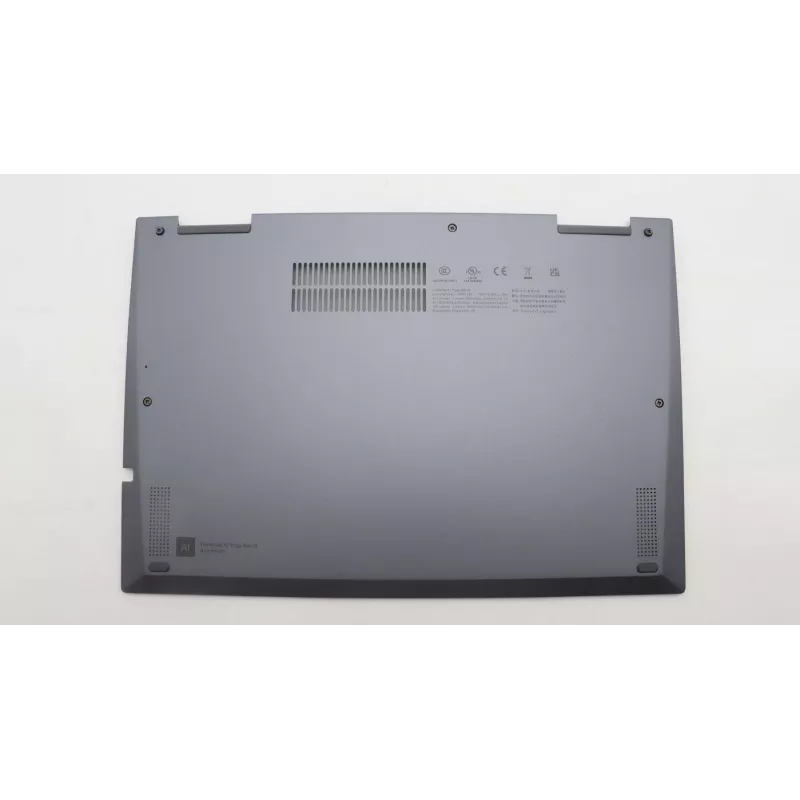
Tampa traseira para módulo WWAN de portátil Lenovo — modelo 5CB1J18158

Tampa traseira para módulo WWAN de portátil Lenovo — modelo 5CB1J18158
169,34 €
Replacement rear cover designed specifically for Lenovo laptops with a WWAN compartment, model 5CB1J18158. This outer panel protects the WWAN module and nearby internal components while providing the correct access and mounting points for installing or servicing mobile broadband (WWAN) cards. The co... Ler mais
Stock EsgotadoSem stock Código 1522776 Marca LENOVO Modelo 5CB1J18158 Garantia 2 anos

Envios e devoluções

Replacement rear cover designed specifically for Lenovo laptops with a WWAN compartment, model 5CB1J18158. This outer panel protects the WWAN module and nearby internal components while providing the correct access and mounting points for installing or servicing mobile broadband (WWAN) cards. The cover maintains the original fit and alignment to preserve device integrity during repair or as a spare part.

Advantages

The rear cover restores the laptop’s external protection around the WWAN bay and ensures correct alignment of mounting holes and connector access. Made to match Lenovo’s original dimensions, it minimizes the risk of interference with nearby components and preserves the laptop’s structural stability. Using a dedicated rear cover for the WWAN module reduces dust ingress and helps maintain reliable mechanical contact for cards and antennas.

Suitable for

  • Repairing or replacing a damaged or missing WWAN bay rear cover on compatible Lenovo laptops
  • Preparing a laptop for WWAN module installation or servicing
  • Keeping a spare part in inventory for laptop maintenance and field service

Key specifications

  • Compatibility: rear cover for Lenovo laptops with a dedicated WWAN compartment
  • Material: durable plastic matching original housing characteristics
  • Form factor: OEM-replacement panel with original mounting points and cutouts for connectors and antenna routes
  • Finish: color and texture matched to the laptop’s external surface to preserve appearance
  • Weight and dimensions: designed to match original part for proper fit and balance

How to use

Power down the laptop, disconnect all power sources and remove the main battery if applicable. Access the WWAN compartment according to the laptop’s service manual, remove any retaining screws or clips, and gently detach the faulty or missing rear cover. Align the replacement rear cover with the original mounting points, ensuring connector and antenna openings line up correctly, then secure it with the original screws or fasteners. Reinstall the WWAN card and antenna cables as needed and verify correct seating before reassembling the laptop and powering it on.

Recommendations

Handle the replacement rear cover and internal components with antistatic precautions to avoid ESD damage to the WWAN module. Use the laptop manufacturer’s service guide for disassembly and reassembly torque specifications and follow local regulations for device servicing.

Destaques principais
  • Repairing or replacing a damaged or missing WWAN bay rear cover on compatible Lenovo laptops
  • Preparing a laptop for WWAN module installation or servicing
  • Keeping a spare part in inventory for laptop maintenance and field service
  • Compatibility: rear cover for Lenovo laptops with a dedicated WWAN compartment
  • Material: durable plastic matching original housing characteristics
  • Form factor: OEM-replacement panel with original mounting points and cutouts for connectors and antenna routes
  • Finish: color and texture matched to the laptop’s external surface to preserve appearance
  • Weight and dimensions: designed to match original part for proper fit and balance
O histórico de preços ainda não está disponível
Ainda estamos a recolher dados de preços diários suficientes para este produto.

Produtos populares nesta categoria

Olá, sou o assistente de IA da DistriNode. Posso ajudá-lo a encontrar produtos, comparar opções, criar orçamentos em PDF ou abrir pedidos de suporte.