
Conta Contactos
O seu carrinho
Envio por DPD e FedEx
Precisa de ajuda? Pergunte à IA

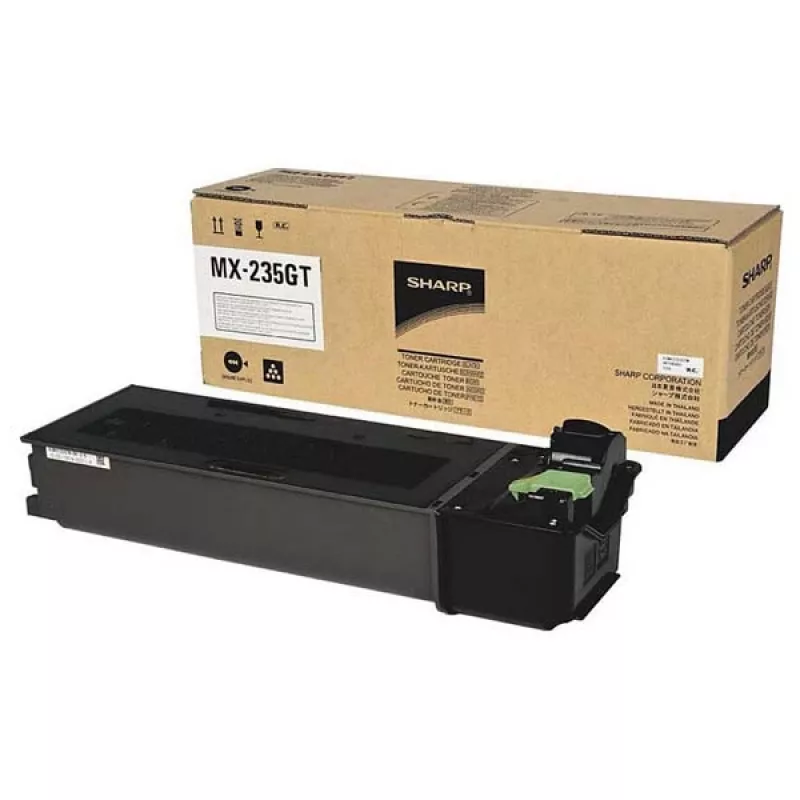
Toner Sharp MX-237GT 10000 páginas preto

Toner Sharp MX-237GT 10000 páginas preto
72,58 €
PDF
PDF
Stock 3 Código 363101 Modelo MX-237GT Garantia 3 anos

Envios e devoluções

Entrega prevista segunda-feira, 7 de dezembro
Receberá atualizações através do nosso sistema de seguimento detalhado
Opções de pagamento
Cartão bancárioVisaMastercardPayPalApple PayGoogle PayTransferência bancária

Faça uma pergunta – o assistente IA responde de imediato.

Descrição

The Sharp MX-237GT toner cartridge is an original black toner engineered for reliable laser printing. With a declared yield of up to 10,000 pages, this cartridge delivers consistent density for text documents and clear contrast for graphics and charts. Designed for straightforward installation in compatible Sharp printers, it aims to maintain print quality and minimize intervention in both small office and home environments.

Advantages

This original Sharp toner cartridge offers predictable page yield and stable black density across the life of the cartridge. Its formulation is optimized for laser printing to produce sharp text edges and consistent image fill. The cartridge is supplied as a single unit and is compatible with the indicated Sharp print systems, helping to reduce downtime through easy replacement and reliable performance.

Suitable for

  • Black-and-white office documents and reports
  • Printed invoices, forms and letters
  • Monochrome brochures and internal handouts
  • Home office printing with moderate-to-high monthly volumes

Key specifications

  • Printing technology: Laser printing
  • Color: Black
  • Yield: Up to 10,000 pages
  • Quantity per pack: 1 piece
  • Brand compatibility: Sharp

How to use

Turn off the printer and open the toner access panel according to the printer user guide. Remove the empty cartridge by pulling it straight out, then unpack the new Sharp MX-237GT cartridge and gently shake it side to side to distribute toner evenly. Slide the cartridge into the correct slot until it clicks into place, close the access panel, and turn the printer back on. Allow the device to initialize and run a test print to confirm correct installation and print quality.

Recommendations

Store the cartridge in a cool, dry place away from direct sunlight and strong magnetic fields. For best results, use genuine Sharp toner cartridges and follow the printer manufacturer's maintenance schedule; replace the cartridge when print density becomes uneven or when the device indicates toner low.
Destaques principais
  • Black-and-white office documents and reports
  • Printed invoices, forms and letters
  • Monochrome brochures and internal handouts
  • Home office printing with moderate-to-high monthly volumes
  • Printing technology: Laser printing
  • Color: Black
  • Yield: Up to 10,000 pages
  • Quantity per pack: 1 piece
  • Brand compatibility: Sharp

Especificações

Especificações
Compatibilidade
AR-6020N
Compatibilidade com marcas
Sharp
Cores de impressão
Preto
Quantidade por embalagem
1 pc(s)
Rendimento do toner preto
20000 páginas
Tecnologia de impressão
Impressão a laser
Tipo
Original
Tipo de embalagem
Caixa

Folheto

Abrir documento
Histórico de preços nos últimos 6 meses
Toner Sharp MX-237GT 10000 páginas preto
Atual
72,58 €
Mais baixo 7 d
71,57 €
Mais alto 7 d
72,58 €
Variação 24 h
0,00 €   0%
Variação 7 d
+1,01 €   +1%
Variação 30 d
0,00 €   0%

Escrever uma avaliação

Classificação *
O seu nome será apresentado publicamente – pode utilizar um pseudónimo. Convidamos os compradores a escrever avaliações; verificamo-las antes da publicação e publicamos também as avaliações críticas.

Mais produtos SHARP nesta categoria

12

Produtos populares nesta categoria

8
Vendedor: UAB KUR LT · Gariūnų g. 57-14, LT-02300 Vílnius, Lituânia · Código da empresa 303192950 · NIF/IVA UE LT100008198612 · Envio a partir da UE (Lituânia)
WhatsApp
Messenger
Olá, sou o assistente de IA da DistriNode. Posso ajudá-lo a encontrar produtos, comparar opções, criar orçamentos em PDF ou abrir pedidos de suporte.
Todas as categorias