
Conta Contactos
O seu carrinho
Envio por DPD e FedEx
Precisa de ajuda? Pergunte à IA

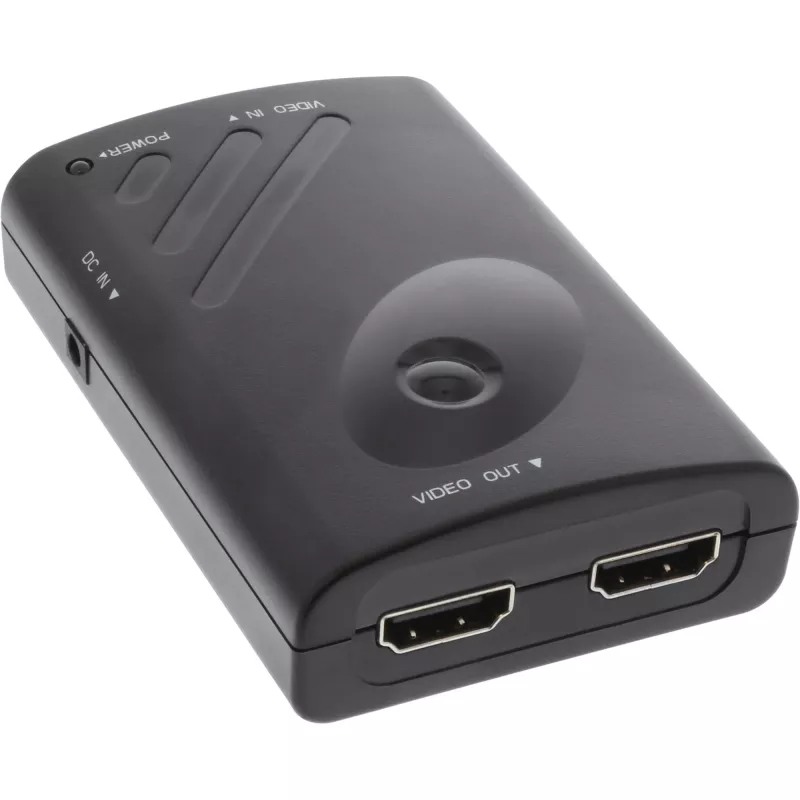
InLine DisplayPort para 2x HDMI splitter e função de parede de vídeo FullHD

InLine DisplayPort para 2x HDMI splitter e função de parede de vídeo FullHD
97,16 €
The InLine DisplayPort to 2x HDMI Splitter connects a single DisplayPort source to two HDMI displays and supports Full HD resolution (1920 x 1080). It can mirror the same image on both screens or extend the desktop to create a simple two-screen video wall. The device has a compact black housing and ... Ler mais
Stock 5 Código 1438996 Marca INLINE Modelo 57821A Garantia 2 anos

Envios e devoluções

Entrega prevista Segunda-feira, Outubro 19
Receberá atualizações através do nosso sistema de seguimento detalhado
Opções de pagamento
Cartão bancárioVisaMastercardPayPalApple PayGoogle PayTransferência bancária

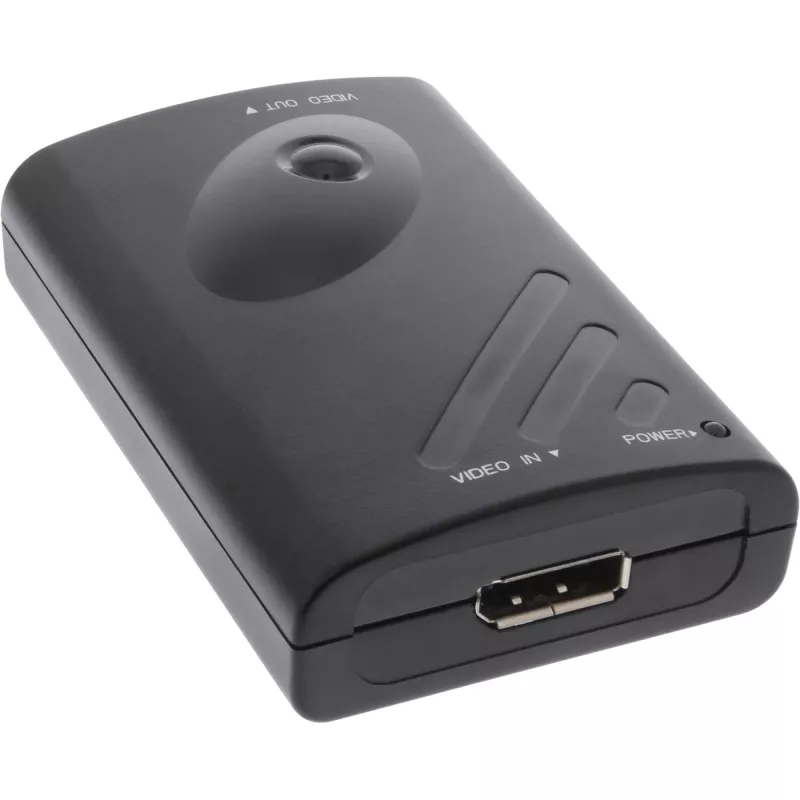
The InLine DisplayPort to 2x HDMI Splitter connects a single DisplayPort source to two HDMI displays and supports Full HD resolution (1920 x 1080). It can mirror the same image on both screens or extend the desktop to create a simple two-screen video wall. The device has a compact black housing and is intended for easy installation in multi-display setups.

Advantages

This splitter supports simultaneous connection of two HDMI displays from one DisplayPort output, offers Full HD (1920 x 1080) video support, and allows either cloned or extended display modes. Its compact, black design and plug-and-play operation make it suitable for quick setup without additional software.

Suitable for

  • Presentations with identical content on two screens
  • Extending a desktop across two HDMI monitors
  • Simple video walls or signage with two displays
  • Home or office multi-monitor setups

Key specifications

  • Brand: InLine
  • Model / MPN: 57821A
  • EAN: 4043718234028
  • Input: DisplayPort
  • Outputs: 2 × HDMI
  • Supported resolution: up to 1920 x 1080 (Full HD)
  • Colour: Black

How to use

Connect the splitter's DisplayPort plug to the DisplayPort output on your PC. Attach two HDMI cables from the splitter's HDMI outputs to the HDMI inputs of your monitors or TVs. Power on the PC and displays; the system should detect both screens. Configure display mode (clone/mirror or extend) in your operating system's display settings.

Recommendations

For reliable operation, use quality HDMI cables and ensure the PC's DisplayPort output supports video output. When using extended mode, set the display resolution in the OS to 1920 x 1080 for best compatibility across both monitors.
Destaques principais
  • Presentations with identical content on two screens
  • Extending a desktop across two HDMI monitors
  • Simple video walls or signage with two displays
  • Home or office multi-monitor setups
  • Brand: InLine
  • Model / MPN: 57821A
  • EAN: 4043718234028
  • Input: DisplayPort
  • Outputs: 2 × HDMI
  • Supported resolution: up to 1920 x 1080 (Full HD)
  • Colour: Black
Especificações
Altura da embalagem
88 mm
Cor do produto
Black
Entrada de vídeo
1
Full HD
Yes
Largura da embalagem
128 mm
Peso
175 g
Peso da embalagem
331 g
Plug and Play
Yes
Profundidade da embalagem
215 mm
Resoluções gráficas suportadas
1920 x 1080 (HD 1080)
Saída de vídeo
2x HDMI
Tipo de porta de vídeo
DisplayPort
Volume da embalagem
2400 cm³

Folheto

Abrir documento

Documento

Abrir documento
Histórico de preços nos últimos 6 meses
InLine DisplayPort para 2x HDMI splitter e função de parede de vídeo FullHD
Atual
97,16 €
Mais baixo
95,27 €
Mais alto
107,87 €
Variação 24 h
+0,73 €   +1%
Semana
+1,42 €   +1%
Mês
+1,90 €   +2%
Olá, sou o assistente de IA da DistriNode. Posso ajudá-lo a encontrar produtos, comparar opções, criar orçamentos em PDF ou abrir pedidos de suporte.