

Conta Contactos
O seu carrinho
Envio por DPD e FedEx
Precisa de ajuda? Pergunte à IA

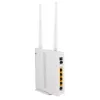
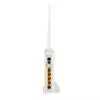
Router sem fios ALLNET ALL-WR02400N Wi-Fi 4 802.11n

Router sem fios ALLNET ALL-WR02400N Wi-Fi 4 802.11n
37,16 €
The ALLNET ALL-WR02400N is a combined ADSL2+ modem and Wi‑Fi 4 (802.11n) wireless router offering up to 300 Mbit/s wireless throughput and Fast Ethernet LAN connectivity. It integrates an ADSL2+ modem (supports Annex B & J) so no external modem is required. The device is suited for home or small off... Ler mais
Stock 200 Código 121897 Marca ALLNET Modelo ALL-WR02400N Garantia 2 anos

Envios e devoluções

Entrega prevista Sexta-feira, Outubro 16
Receberá atualizações através do nosso sistema de seguimento detalhado
Opções de pagamento
Cartão bancárioVisaMastercardPayPalApple PayGoogle PayTransferência bancária

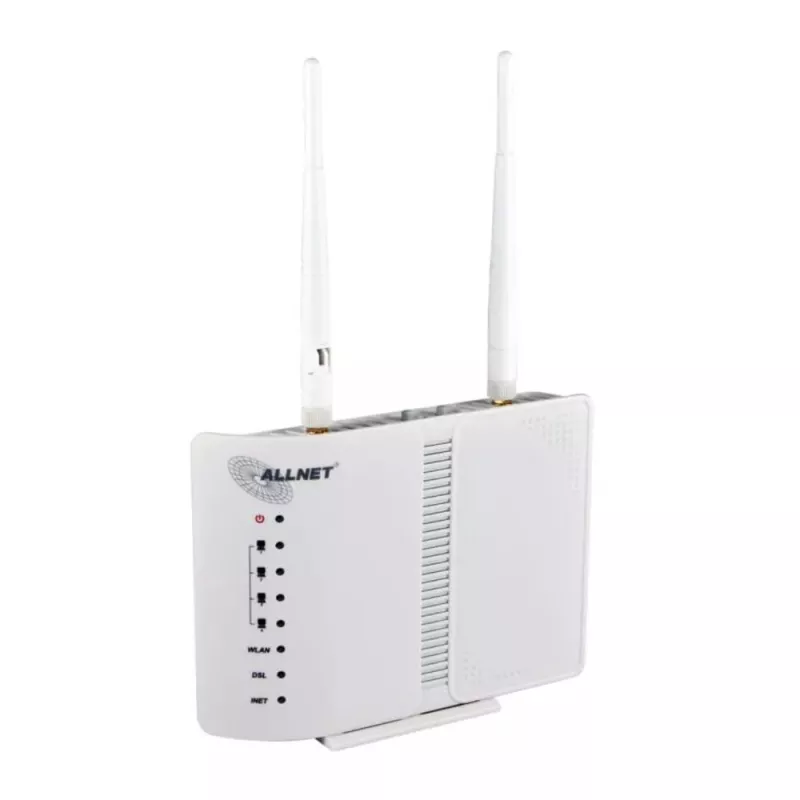
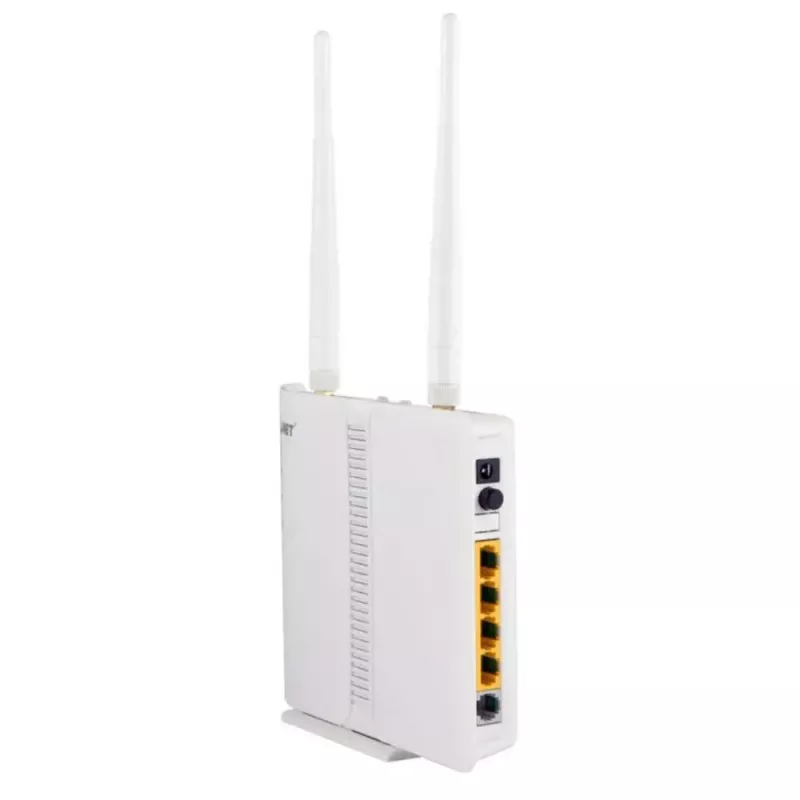
The ALLNET ALL-WR02400N is a combined ADSL2+ modem and Wi‑Fi 4 (802.11n) wireless router offering up to 300 Mbit/s wireless throughput and Fast Ethernet LAN connectivity. It integrates an ADSL2+ modem (supports Annex B & J) so no external modem is required. The device is suited for home or small office use and includes two external antennas, four LAN ports and multiple security features for stable, continuous internet access.

Advantages

Integrated ADSL2+ modem enables download speeds up to 24 Mbit/s (depending on provider) and up to 3.5 Mbit/s upload with Annex J. Wireless N technology provides wireless transfers up to 300 Mbit/s. The router includes a powerful SPI firewall with DoS protection, NAT, MAC and packet filters, DMZ and WPA2 encryption for secure connections. Low power consumption (about 5 W) and LED status indicators at the front allow simple continuous operation and quick visual status checks.

Suitable for

  • Home internet access with ADSL2+ connections
  • Small office networks requiring Fast Ethernet and wireless coverage
  • Streaming HD video and audio, IPTV and online gaming
  • Voice over IP (VoIP) services

Key specifications

  • Model: ALLNET ALL-WR02400N
  • Wi‑Fi standard: Wi‑Fi 4 (802.11n); also supports 802.11b/g
  • WLAN max data rate: 300 Mbit/s
  • ADSL standard: ADSL2+/support for Annex B & J
  • LAN: 4 × Fast Ethernet (10/100 Mbps)
  • Antennas: 2 external
  • Security: WPA2‑AES, WPA‑PSK, SPI firewall, DoS protection, NAT, MAC/packet filter, DMZ
  • Power consumption: approx. 5 W
  • Colour: White

How to use

Connect the device to the telephone line using the built‑in ADSL2+ modem and attach the LAN cables to the Fast Ethernet ports for wired devices. For wireless clients, select the SSID and authenticate using the configured WPA2 key. Configure internet access, wireless settings and security via the router's web interface from any device and operating system. Use the front LEDs to verify power, WAN and LAN/wireless status during setup and operation.

Recommendations

Place the router in a central, elevated location for best wireless coverage; keep it away from large metal objects and other electronic equipment that may cause interference. Ensure firmware is up to date and use WPA2 with a strong password to maintain network security.
Destaques principais
  • Home internet access with ADSL2+ connections
  • Small office networks requiring Fast Ethernet and wireless coverage
  • Streaming HD video and audio, IPTV and online gaming
  • Voice over IP (VoIP) services
  • Model: ALLNET ALL-WR02400N
  • Wi‑Fi standard: Wi‑Fi 4 (802.11n); also supports 802.11b/g
  • WLAN max data rate: 300 Mbit/s
  • ADSL standard: ADSL2+/support for Annex B & J
  • LAN: 4 × Fast Ethernet (10/100 Mbps)
  • Antennas: 2 external
  • Security: WPA2‑AES, WPA‑PSK, SPI firewall, DoS protection, NAT, MAC/packet filter, DMZ
  • Power consumption: approx. 5 W
  • Colour: White
Especificações
3G
No
4G
No
ADSL2+
Yes
Algoritmos de segurança
WPA2-PSK, WPA2-EAP, WPA2-AES, WPA-PSK, 64-bit WEP, 128-bit WEP, WPA2-TKIP, WPS, WPA-TKIP
Altura
27 mm
Cliente DHCP
Yes
Compatibilidade com DMZ
Yes
Compatibilidade com Quality of Service (QoS)
Yes
Compatibilidade com VPN
IPSEC, PPTP, L2TP
Consumo de energia (típico)
5 W
Cor do produto
White
Design da antena
External
Ethernet LAN
Yes
Filtragem
Yes
Filtragem de endereços MAC
Yes
Filtragem por endereço IP
Yes
Gestão via web
Yes
Humidade relativa de armazenamento (H-H)
30 - 95
Humidade relativa de funcionamento (H-H)
-20 - 65
Indicadores LED
Y
Inspeção de pacotes com estado (SPI)
Yes
Interruptor de ligar/desligar
Yes
Largura
95 mm
Ligação à rede móvel
No
Ligação xDSL
Yes
Método de autenticação
PAP, CHAP
Modulação
QPSK, 16-QAM, 64-QAM, BPSK, OFDM
Montagem em rack
No
Norma Wi-Fi máxima
Wi-Fi 4 (802.11n)
Normas de rede
IEEE 802.11b, IEEE 802.11g, IEEE 802.11n
Normas Wi-Fi
802.11b, 802.11g, Wi-Fi 4 (802.11n)
Número de antenas
2
Peso
0.465 kg
Portas Ethernet LAN (RJ-45)
4
Prevenção de ataques DoS
Yes
Profundidade
110 mm
Protocolos de gestão
DNS, SNMP,
Protocolos de ligação de dados
PPP
Protocolos de rede suportados
IGMP, DHCP
Servidor DHCP
Yes
Taxa de transferência de dados Wi-Fi (máx.)
300 Mbit/s
Taxas de transferência de dados Wi-Fi suportadas
24, 36, 48, 300, 18, 12, 9, 6, 5.5, 2, 1
Tecnologia de cablagem
10/100Base-T(X)
Temperatura de armazenamento (T-T)
10 - 90
Temperatura de funcionamento (T-T)
0 - 50
Tipo de interface LAN Ethernet
Fast Ethernet
Tradução de endereços de rede (NAT)
Yes
Universal Plug and Play (UPnP)
Yes
Velocidades de dados Ethernet LAN
10, 100
WAN Ethernet
Yes
Histórico de preços nos últimos 6 meses
Router sem fios ALLNET ALL-WR02400N Wi-Fi 4 802.11n
Atual
37,16 €
Mais baixo
35,45 €
Mais alto
48,70 €
Variação 24 h
+1,50 €   +4%
Semana
+1,57 €   +4%
Mês
+1,63 €   +5%

Produtos populares nesta categoria

Olá, sou o assistente de IA da DistriNode. Posso ajudá-lo a encontrar produtos, comparar opções, criar orçamentos em PDF ou abrir pedidos de suporte.