
Conta Contactos
O seu carrinho
Envio por DPD e FedEx
Precisa de ajuda? Pergunte à IA

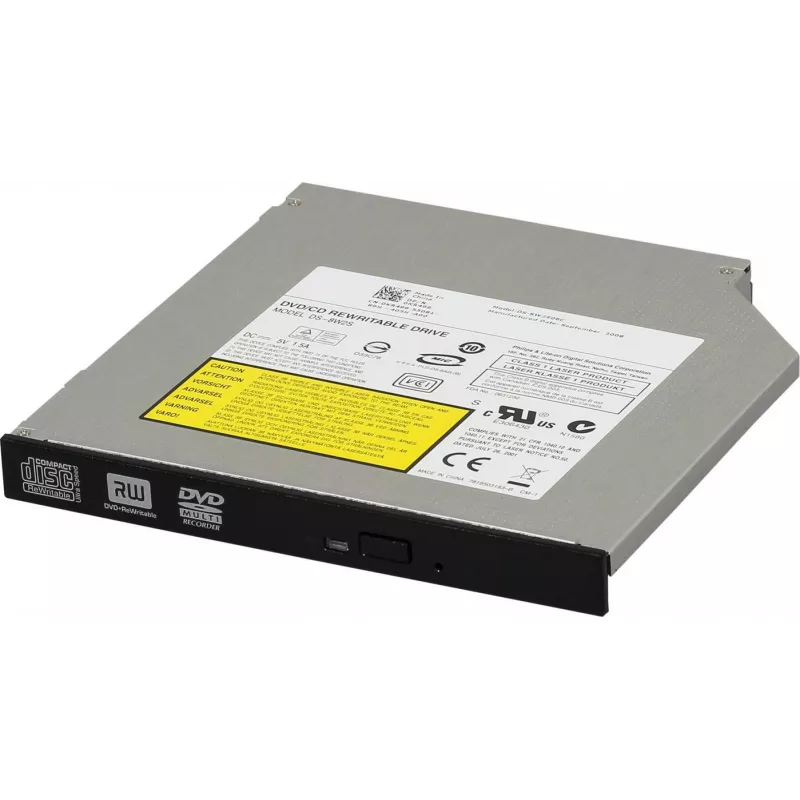
Unidade de DVD-RW interna Dell KR499 8x SATA

Unidade de DVD-RW interna Dell KR499 8x SATA
98,59 €
Internal DVD RW Drive Dell KR499 8x SATA is a 5.25" internal optical drive for desktop systems. It supports reading and writing of DVD and CD media at up to 8x write speed for DVDs and compatible speeds for CDs, using a SATA data interface and standard power connector. The drive is intended for inst... Ler mais
Stock 4 Código 1510992 Marca DELL Modelo KR499 Garantia 2 anos

Envios e devoluções

Entrega prevista Quinta-feira, Outubro 22
Receberá atualizações através do nosso sistema de seguimento detalhado
Opções de pagamento
Cartão bancárioVisaMastercardPayPalApple PayGoogle PayTransferência bancária

Internal DVD RW Drive Dell KR499 8x SATA is a 5.25" internal optical drive for desktop systems. It supports reading and writing of DVD and CD media at up to 8x write speed for DVDs and compatible speeds for CDs, using a SATA data interface and standard power connector. The drive is intended for installation in desktop computer bays and offers basic optical media functionality for data backup, software installation, media playback and system recovery.

Advantages

The drive provides reliable optical read/write capability with a standard SATA interface, simplifying integration into common desktop systems. Its support for both DVD and CD formats enables versatile use for creating disc backups, burning installation media, or playing optical media. The 5.25" form factor and standard connector set make the unit compatible with most desktops and many Dell machines that accept standard optical drives.

Suitable for

  • Creating DVD or CD backups of data and media
  • Installing operating systems and software from optical discs
  • Restoring system images and recovery media
  • Playing DVDs and CDs for media playback
  • Accessing legacy optical media and archived discs

Key specifications

  • Form factor: internal 5.25" optical drive
  • Interface: SATA data connection
  • Write speed: up to 8x for DVD media
  • Media support: writable and rewritable DVD and CD formats
  • Functions: read and write (DVD±R, DVD±RW, CD-R, CD-RW compatible)

How to use

Install the drive into an available 5.25" bay in the desktop chassis, secure it with screws or tool-less mount as applicable, and connect the SATA data cable and power cable from the power supply. After power-up, the operating system should detect the drive automatically; install or update drivers only if required by the OS. Use standard disc-authoring or media-player software to burn or read DVDs and CDs. Ensure discs are handled by their edges and stored properly to avoid scratches.

Recommendations

Use compatible blank media rated for DVD or CD recording and reputable disc-authoring software for reliable burns. When installing into Dell systems, confirm the chassis has a full-height 5.25" bay and an available SATA port. For system recovery, verify the boot order in BIOS/UEFI to enable booting from the optical drive. Keep firmware and system drivers updated when necessary to maintain compatibility.

Destaques principais
  • Creating DVD or CD backups of data and media
  • Installing operating systems and software from optical discs
  • Restoring system images and recovery media
  • Playing DVDs and CDs for media playback
  • Accessing legacy optical media and archived discs
  • Form factor: internal 5.25" optical drive
  • Interface: SATA data connection
  • Write speed: up to 8x for DVD media
  • Media support: writable and rewritable DVD and CD formats
  • Functions: read and write (DVD±R, DVD±RW, CD-R, CD-RW compatible)
Histórico de preços nos últimos 6 meses
Unidade de DVD-RW interna Dell KR499 8x SATA
Atual
98,59 €
Mais baixo
97,65 €
Mais alto
98,72 €
Variação 24 h
-0,13 €   0%
Semana
+0,56 €   +1%
Mês
—   

Produtos populares nesta categoria

Olá, sou o assistente de IA da DistriNode. Posso ajudá-lo a encontrar produtos, comparar opções, criar orçamentos em PDF ou abrir pedidos de suporte.