
Conta Contactos
O seu carrinho
Envio por DPD e FedEx
Precisa de ajuda? Pergunte à IA

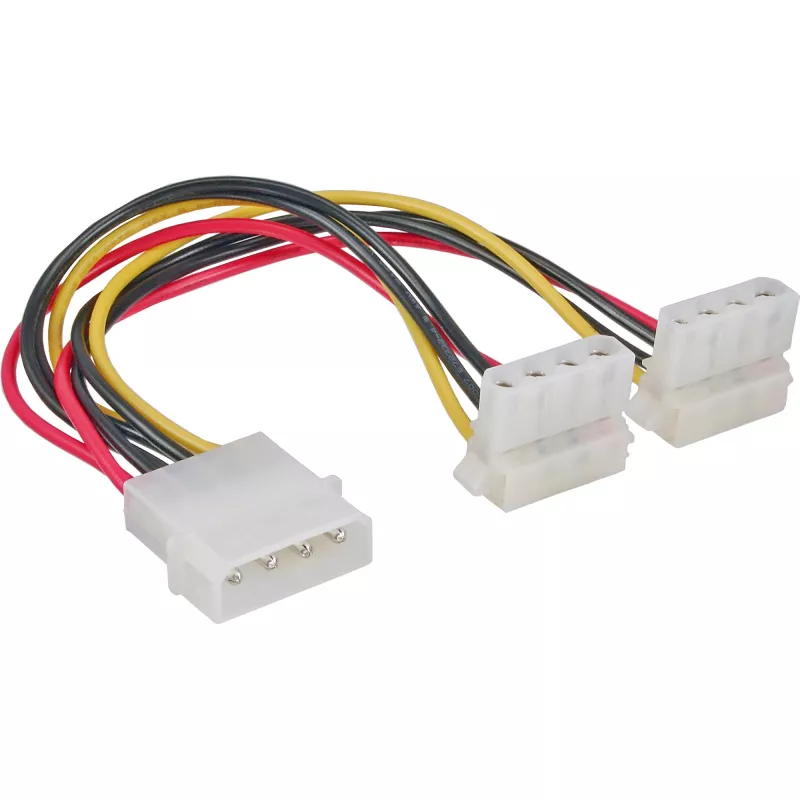
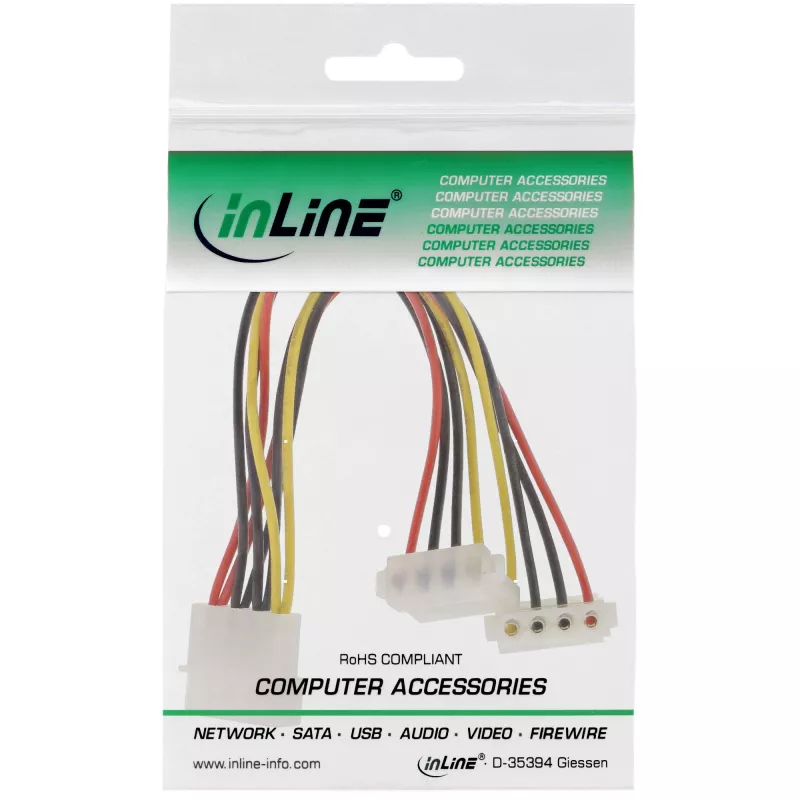
Cabo de alimentação Y interno InLine 1x Molex 4 pinos / 2x Molex 4 pinos angular 0,15 m

Cabo de alimentação Y interno InLine 1x Molex 4 pinos / 2x Molex 4 pinos angular 0,15 m
7,65 €
The InLine Internal Power Y-Cable (0.15 m) provides power distribution from a single 4-pin Molex output to two 4-pin Molex devices. With one straight Molex plug and two angled 90° Molex sockets, this cable is designed to feed two hard drives, optical drives or other peripherals from a single ATX pow... Ler mais
Stock 1377 Código 1430819 Marca INLINE Modelo 29659W Garantia 2 anos

Envios e devoluções

Entrega prevista Terça-feira, Outubro 20
Receberá atualizações através do nosso sistema de seguimento detalhado
Opções de pagamento
Cartão bancárioVisaMastercardPayPalApple PayGoogle PayTransferência bancária

The InLine Internal Power Y-Cable (0.15 m) provides power distribution from a single 4-pin Molex output to two 4-pin Molex devices. With one straight Molex plug and two angled 90° Molex sockets, this cable is designed to feed two hard drives, optical drives or other peripherals from a single ATX power supply connector while improving cable routing inside the PC case.

Advantages

The short 0.15 m length keeps excess cable inside the case to a minimum while the two 90° angled sockets allow easier installation in tight spaces and neater cable management. Compatibility with standard 4-pin Molex connectors ensures straightforward connection to legacy drives and peripherals without additional adapters.

Suitable for

  • Connecting two 3.5" hard drives that use 4-pin Molex power
  • Powering optical drives (5.25") with Molex connectors
  • Supplying power to peripheral devices inside a PC that accept 4-pin Molex

Key specifications

  • Cable length: 0.15 m
  • Connector (input): 1× 4-pin Molex
  • Connector (output): 2× 4-pin Molex (90° angled)
  • Colour: Multicolour
  • Brand: InLine
  • MPN: 29659W
  • EAN: 4043718187256

How to use

Disconnect power from the PC, then plug the single 4-pin Molex connector into an available Molex output on the ATX power supply. Attach the two angled 4-pin Molex sockets to the power ports of the target drives or peripherals, ensuring correct orientation of the pins. Reconnect power and verify the connected devices receive power before closing the case.

Recommendations

Do not force connectors; ensure pins align before applying power. Use this short Y-cable for internal connections only and avoid routing near sharp edges or moving parts. If a device requires a different connector type or rated current, use an appropriate adapter or cable.
Destaques principais
  • Connecting two 3.5" hard drives that use 4-pin Molex power
  • Powering optical drives (5.25") with Molex connectors
  • Supplying power to peripheral devices inside a PC that accept 4-pin Molex
  • Cable length: 0.15 m
  • Connector (input): 1× 4-pin Molex
  • Connector (output): 2× 4-pin Molex (90° angled)
  • Colour: Multicolour
  • Brand: InLine
  • MPN: 29659W
  • EAN: 4043718187256
Especificações
Altura da embalagem
28 mm
Ângulo do conector
90°
Comprimento do cabo
0.15 m
Conector 1
Molex (4-pin)
Conector 2
Molex (4-pin)
Cor do produto
Multicolour
Género do conector 1
Male
Género do conector 2
Female
Largura da embalagem
86 mm
Peso
24 g
Peso da embalagem
26 g
Profundidade da embalagem
130 mm
Volume da embalagem
300 cm³

Folheto

Abrir documento
Histórico de preços nos últimos 6 meses
Cabo de alimentação Y interno InLine 1x Molex 4 pinos / 2x Molex 4 pinos angular 0,15 m
Atual
7,65 €
Mais baixo
7,02 €
Mais alto
11,16 €
Variação 24 h
+0,62 €   +9%
Semana
+0,63 €   +9%
Mês
+0,21 €   +3%

Produtos populares nesta categoria

Olá, sou o assistente de IA da DistriNode. Posso ajudá-lo a encontrar produtos, comparar opções, criar orçamentos em PDF ou abrir pedidos de suporte.